Windows Bridge for iOS
Oct – May 2015, as Senior UX Designer | Windows and Devices Group (WDG) | Microsoft
A Microsoft initiative to enable iOS developers to bring their Objective-C apps to Windows without rewriting code by compiling and building iOS projects on Windows using Visual Studio.
Context
Windows Bridge for iOS (also known as WinObjC) provided tooling, guidelines, and UX translation resources to help iOS developers port their apps to Windows. The solution included UI translation guidance, controls mapping principles, Visual Studio integration support, and a comprehensive developer journey that helped both individuals and partner companies navigate the transition from iOS to Windows.
Role
As UX lead, I owned the end-to-end design experience for the developer journey across tools, documentation, and web presence. I worked closely with engineering and program managers to define design deliverables spanning:
- iOS-to-Windows UI translation guidelines
- Controls mapping patterns (e.g., navigation, components)
- Visual Studio tooling and workflow guidance
- Windows Dev Center content and onboarding flow
- Comprehensive developer journey touchpoints
I also engaged with external partner teams to provide design guidance and support during early adoption.
Approach & Key Contributions
Developer Journey Design
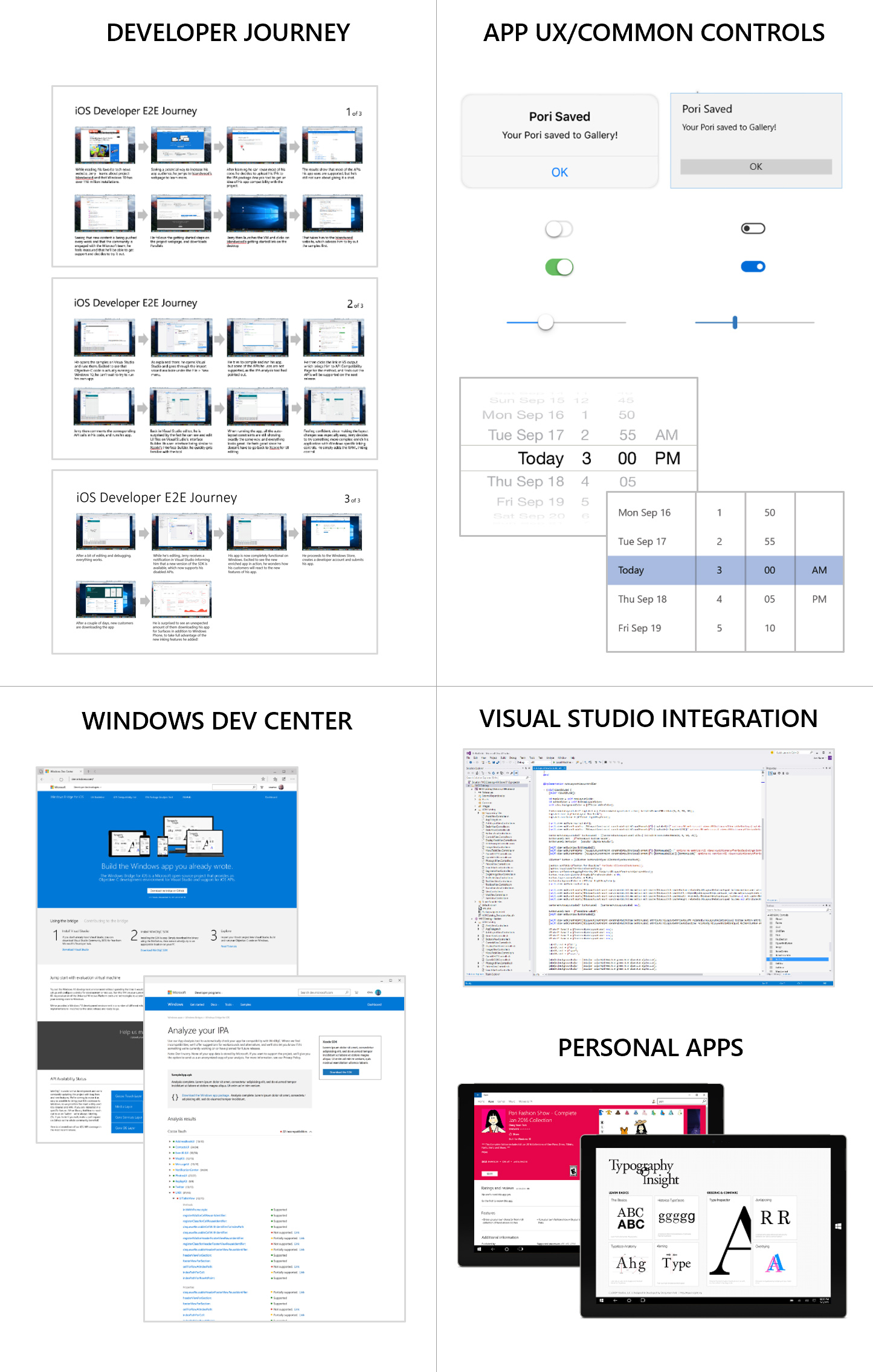
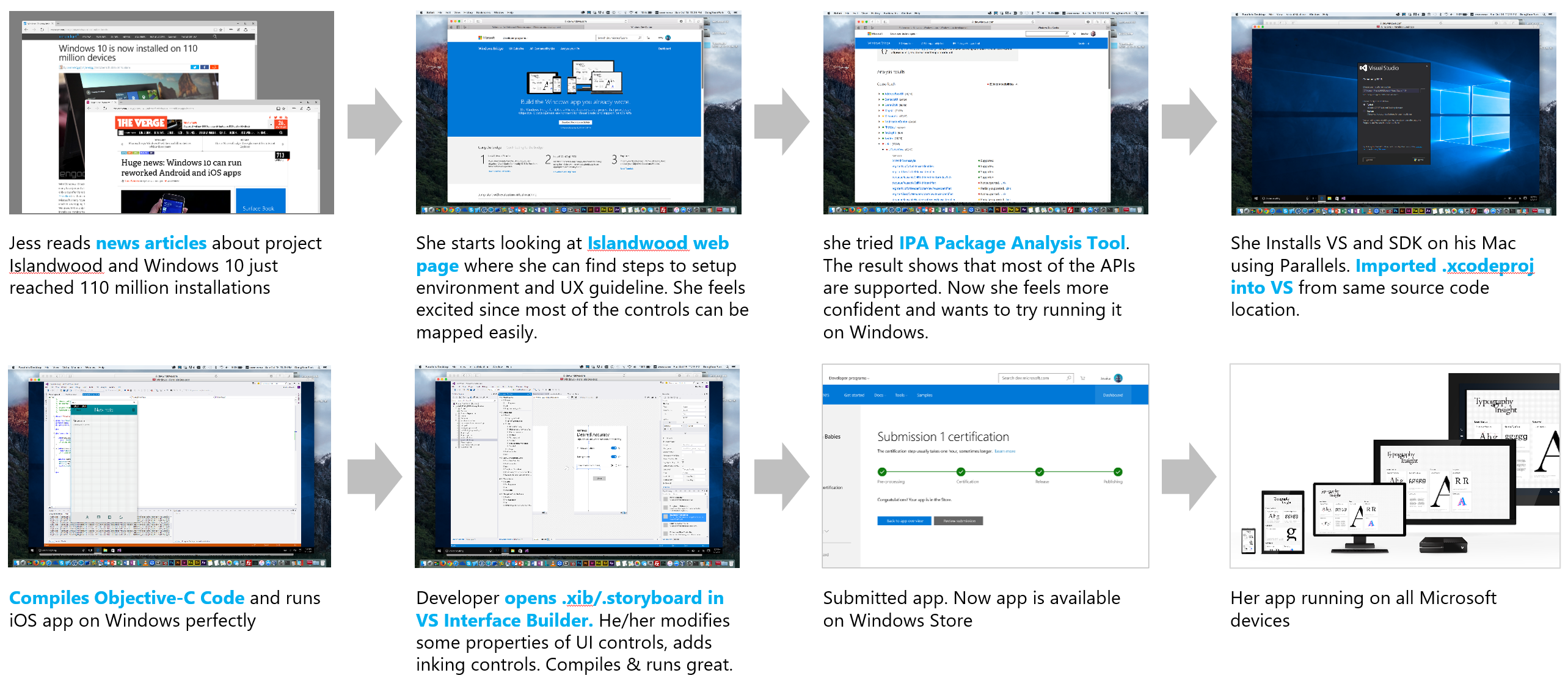
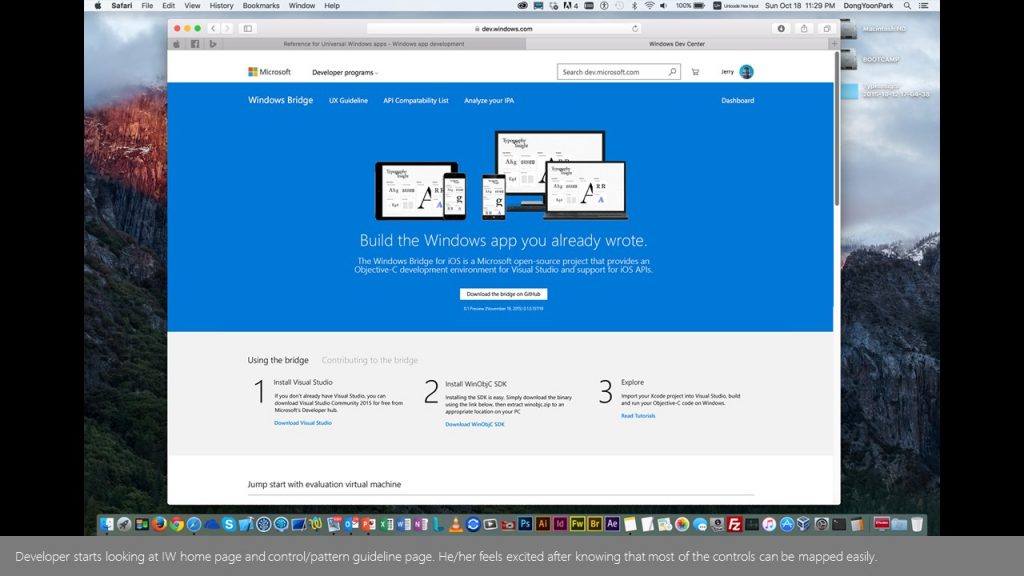
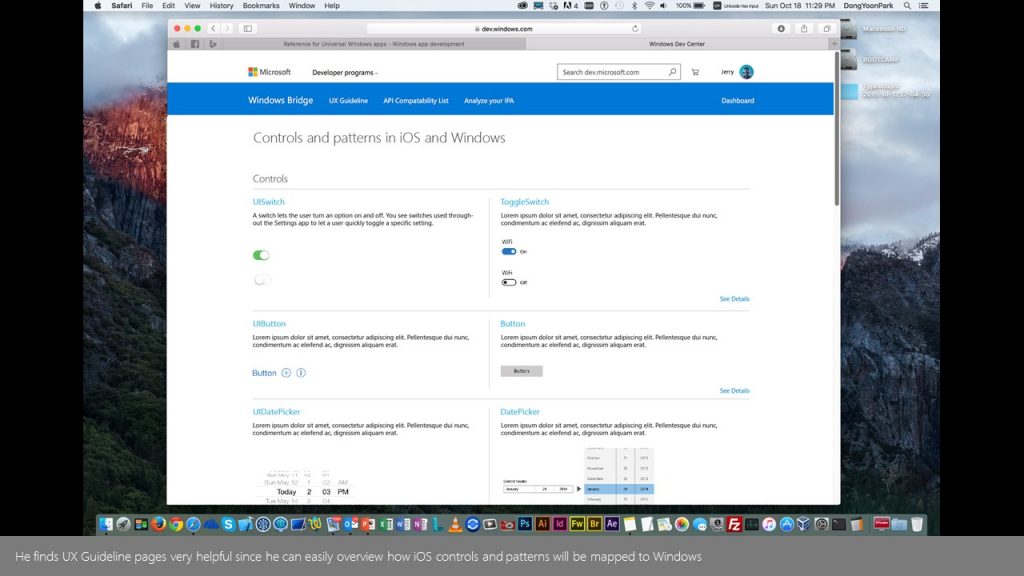
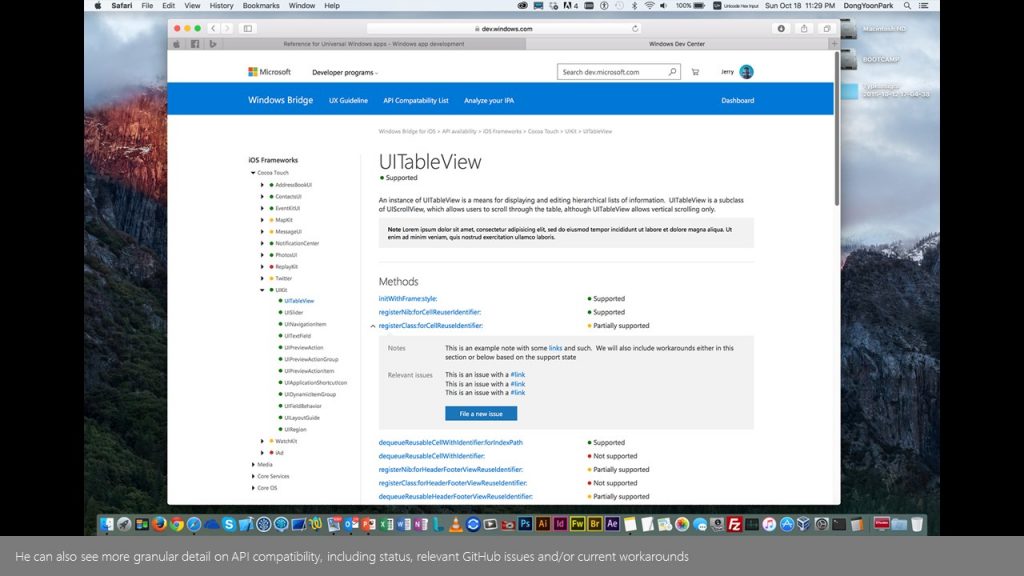
I mapped and designed the overall journey for iOS developers — from first exposure through onboarding, translation, validation, and publishing. This included designing key screens and decision paths that clarified expectations and reduced cognitive load during porting.
Controls Mapping & UX Translation
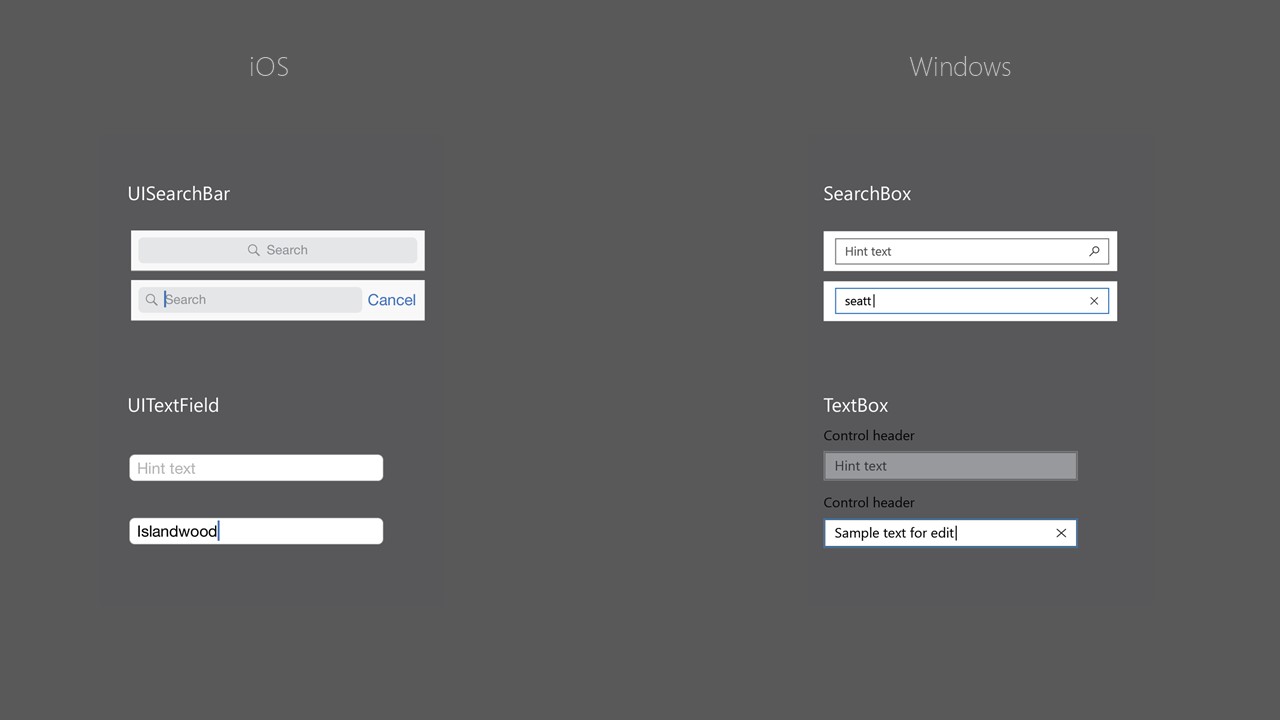
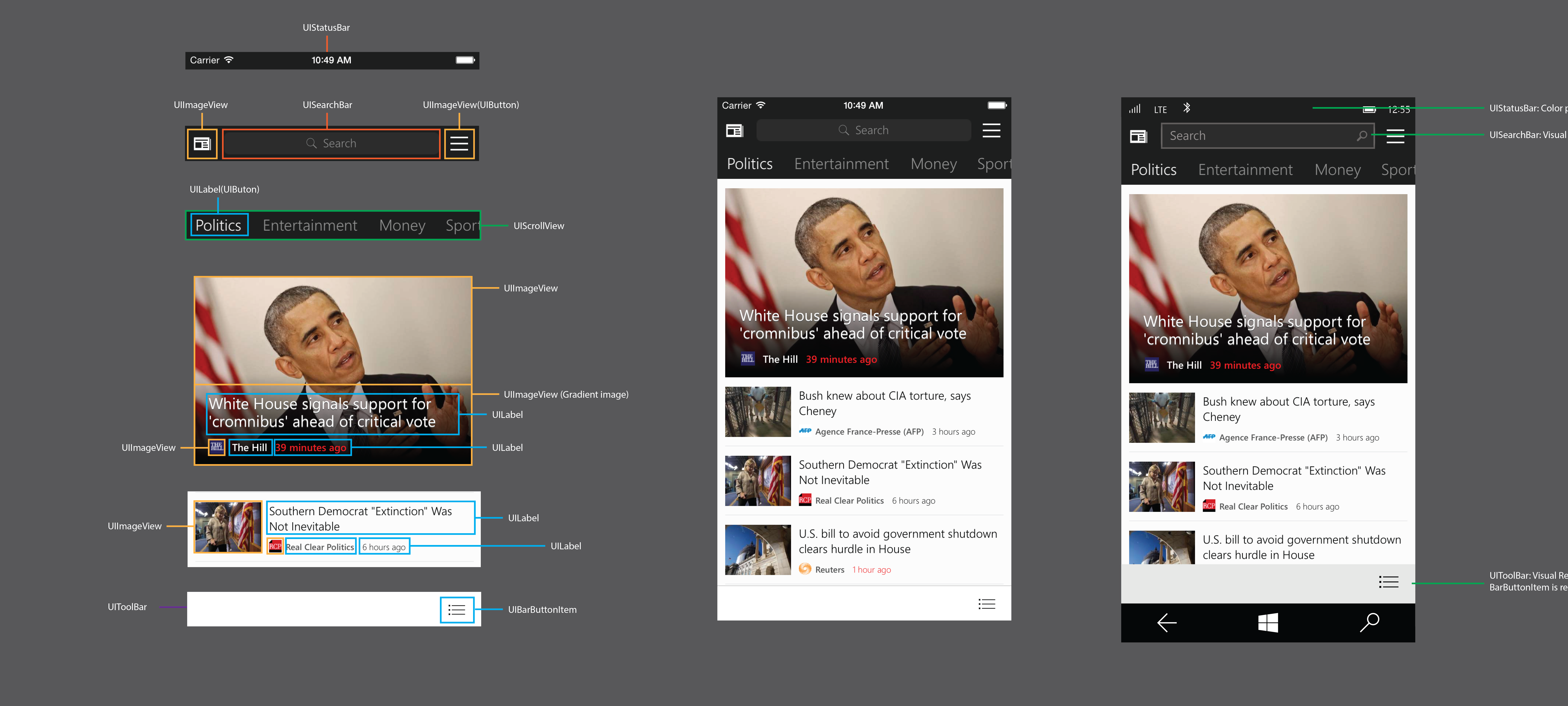
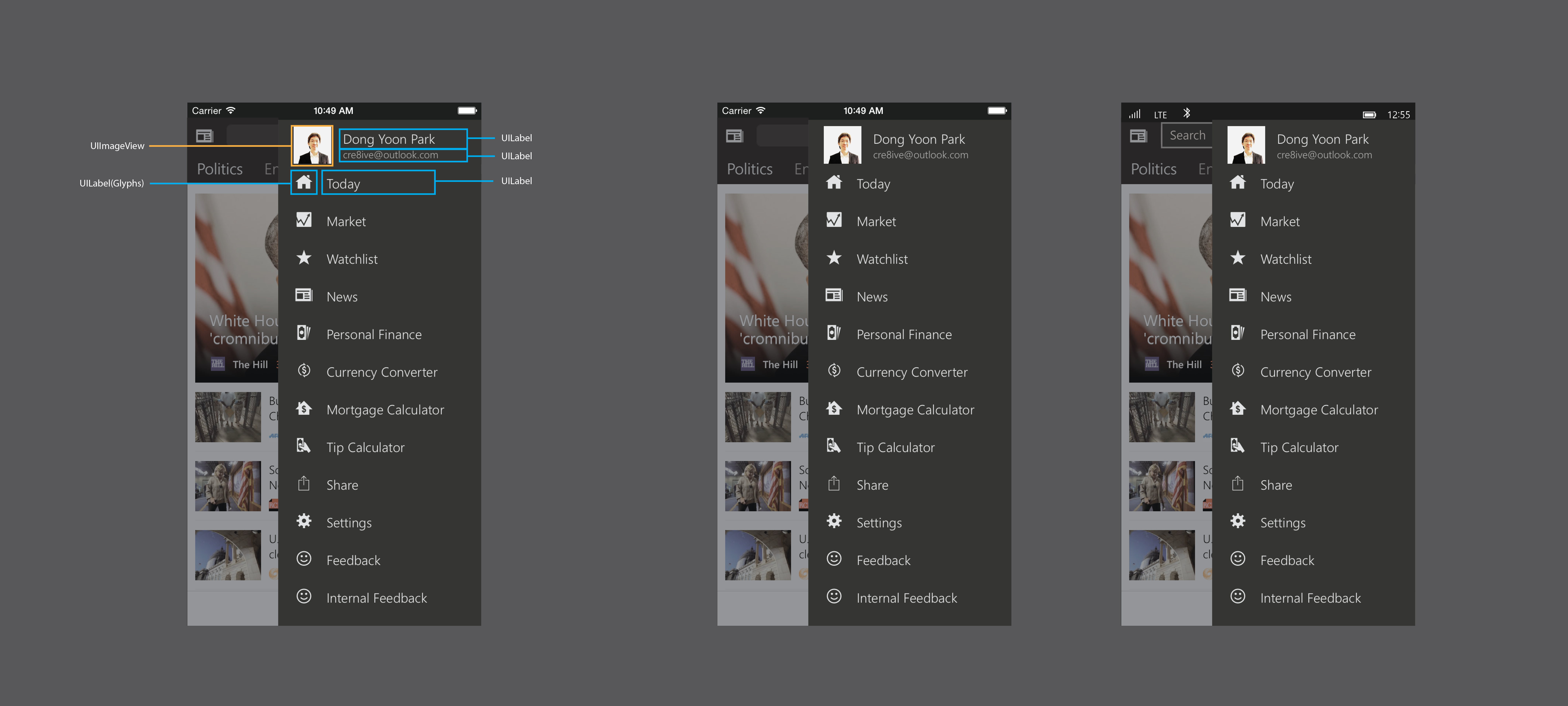
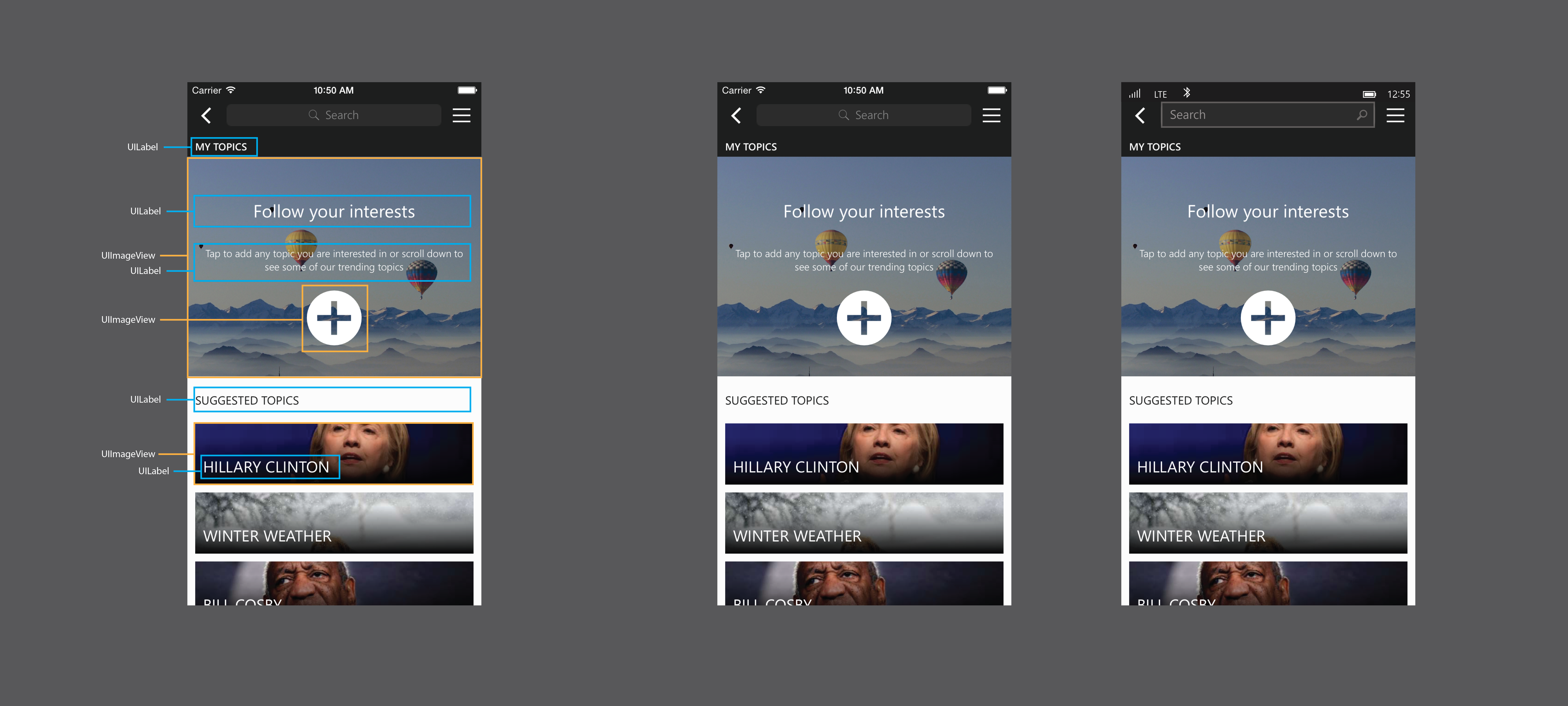
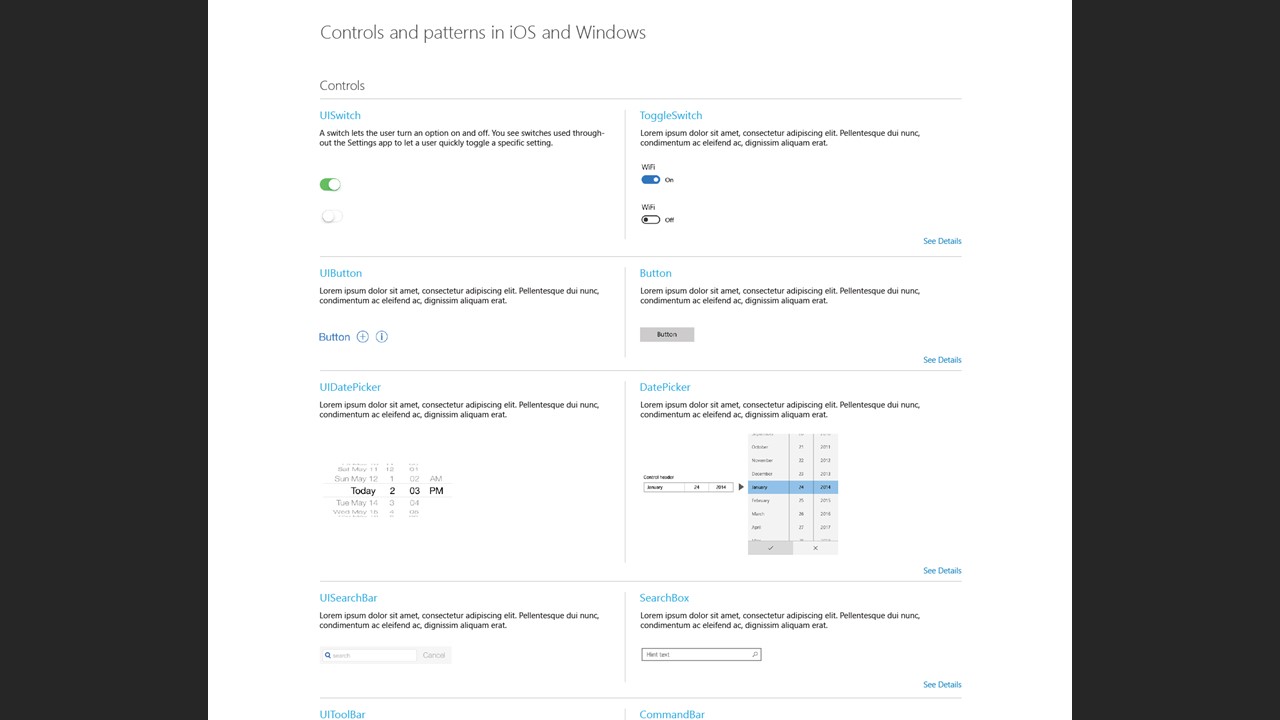
I created guidelines for translating common iOS UI building blocks to Windows paradigms, including navigation patterns, control behaviors, and component equivalents. These guidelines helped teams consistently map iOS UI concepts to Windows UX patterns.
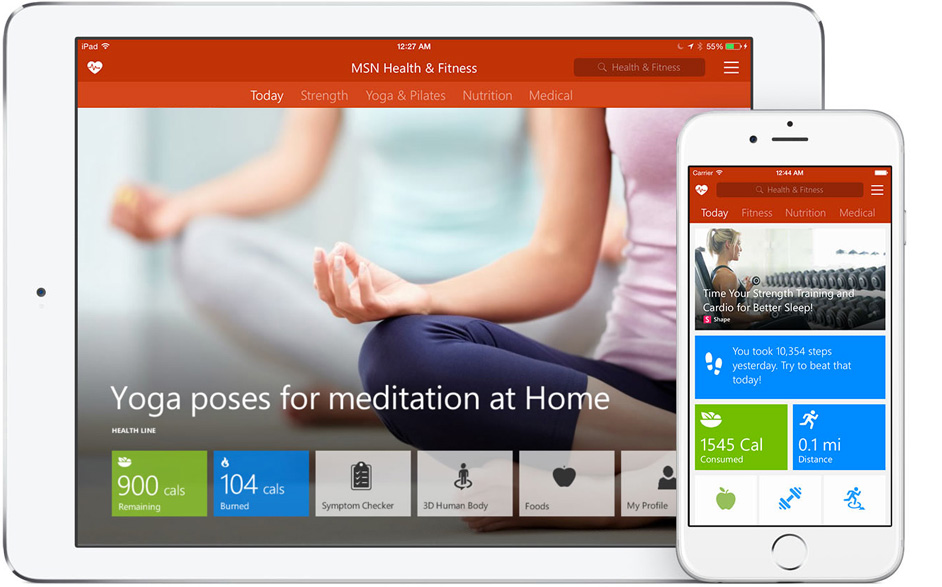
Component Analysis from MSN for iOS
Leveraging my experience with MSN apps on iOS, I analyzed existing component structures and documented how they should translate into Windows UI equivalents — accelerating design decisions and reducing ambiguity for engineering teams.
Web Experience for Developer Outreach
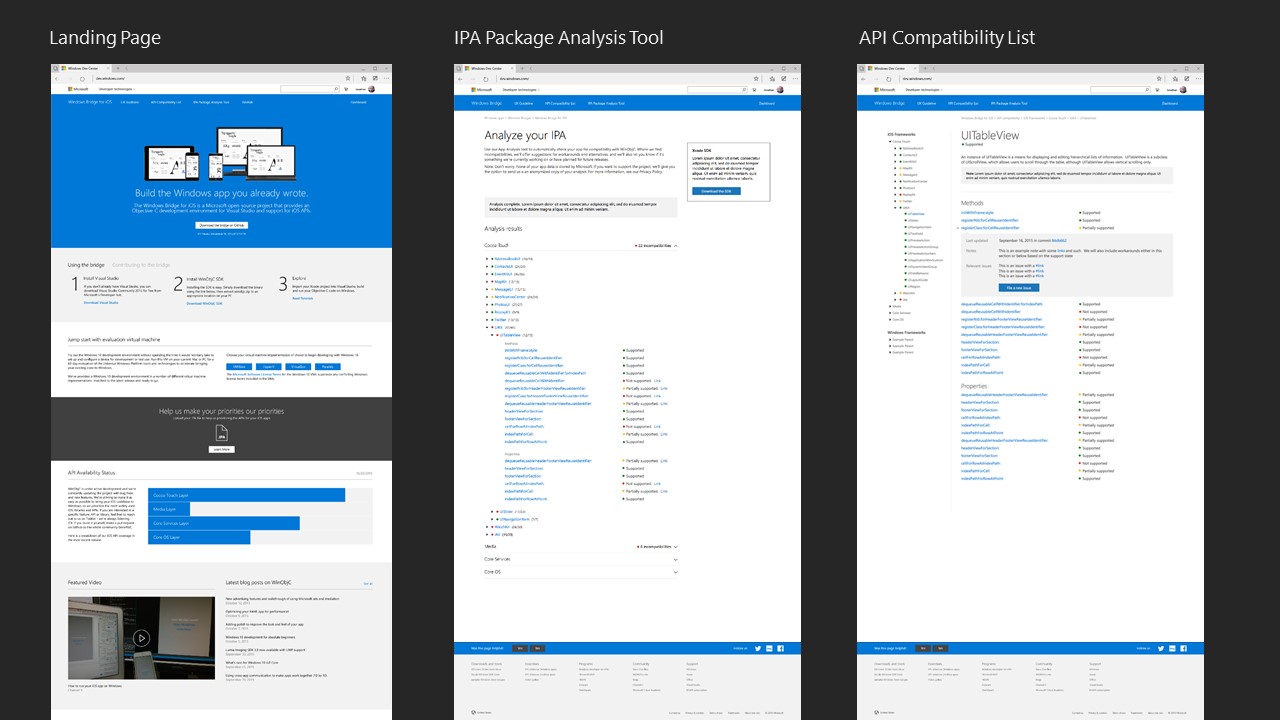
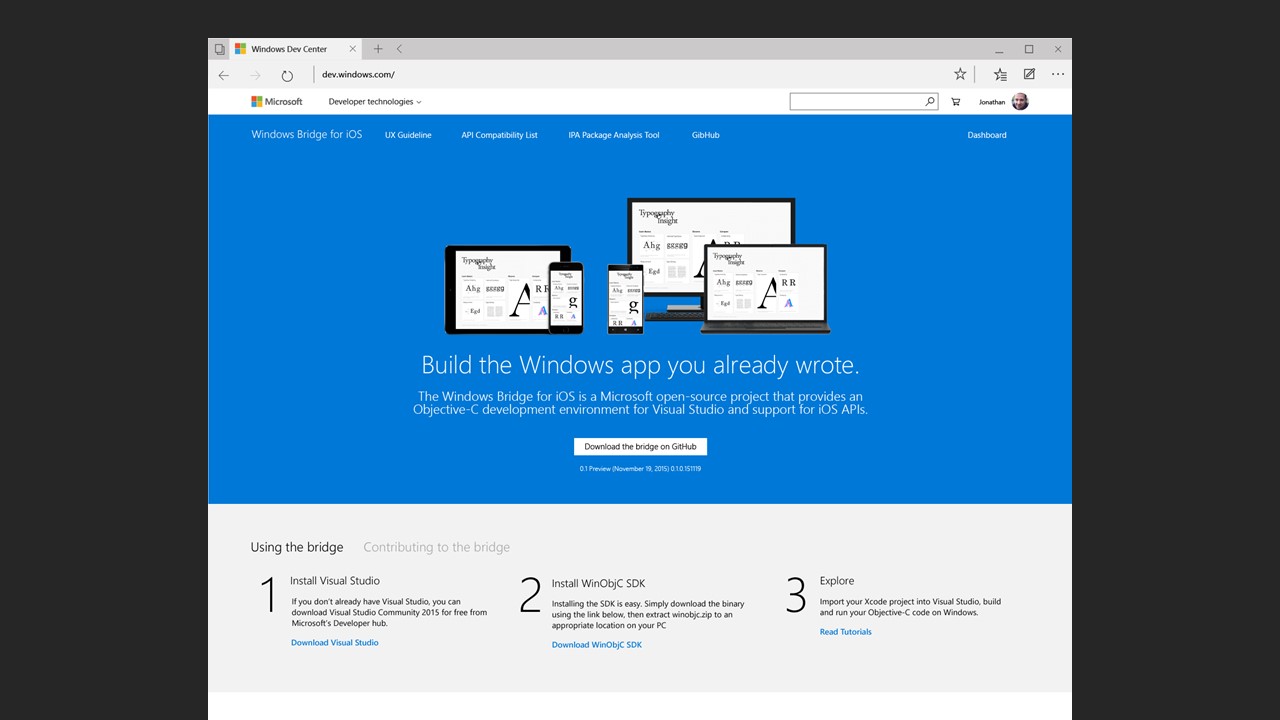
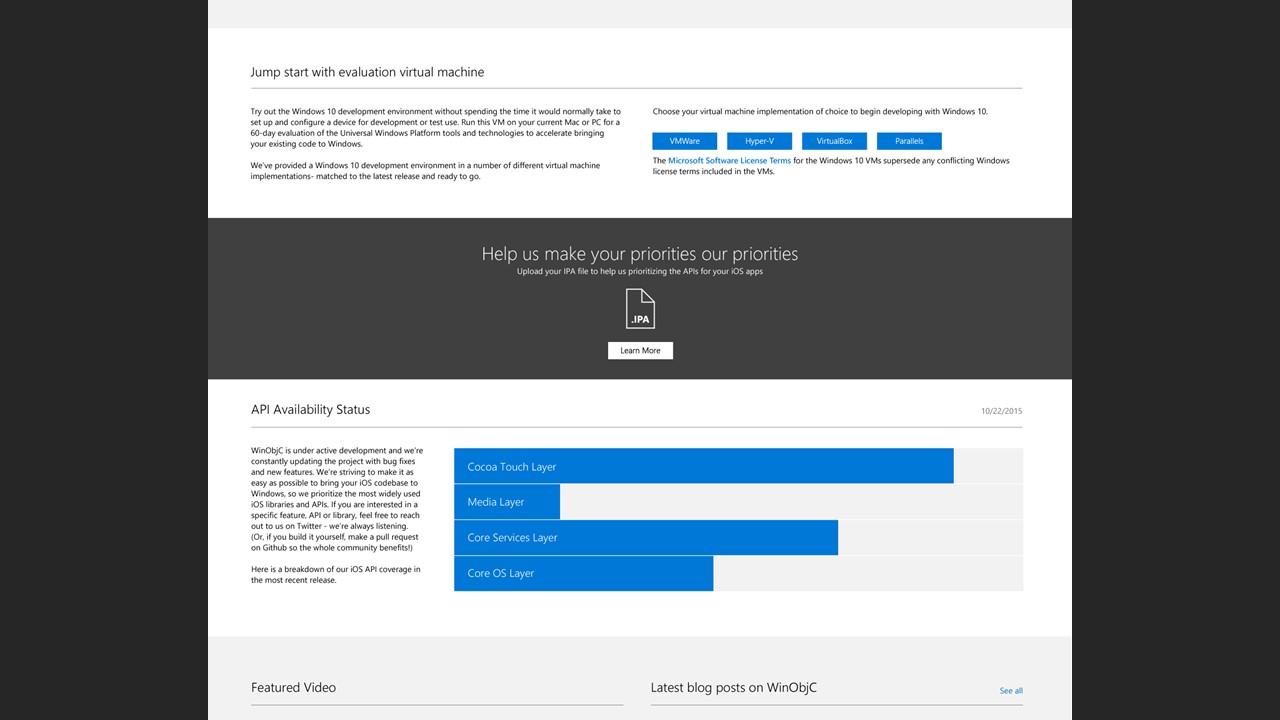
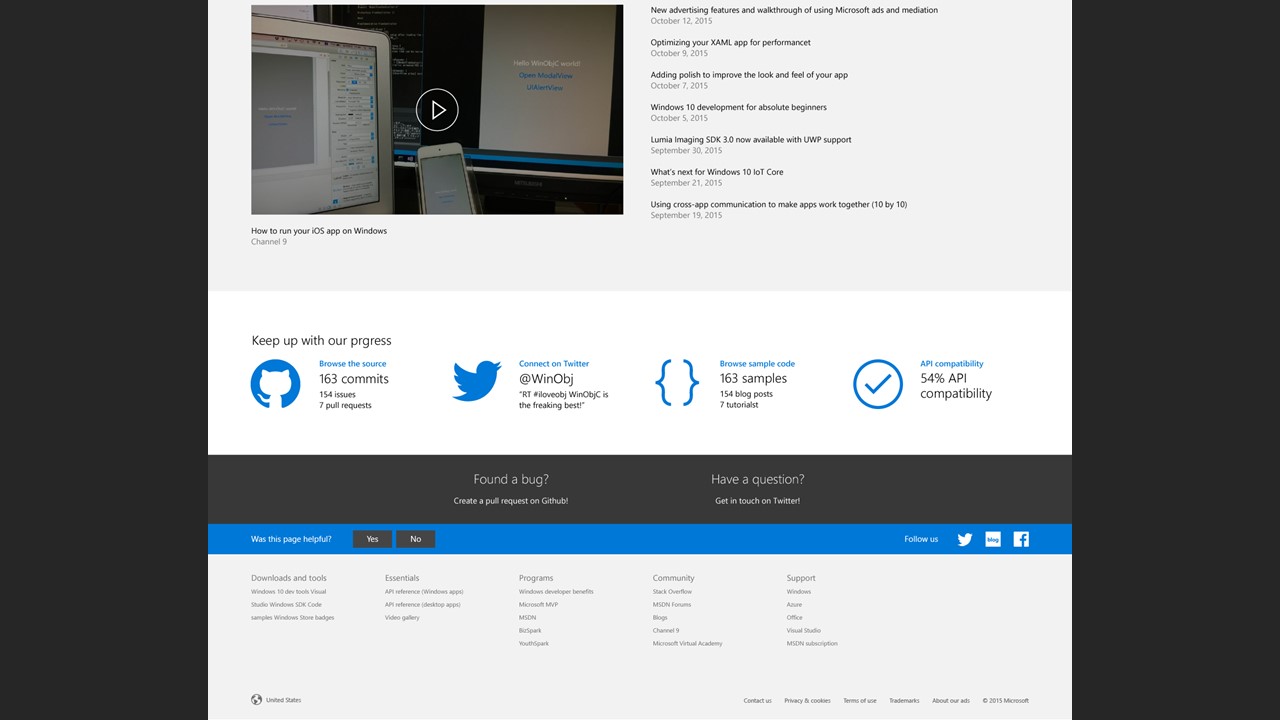
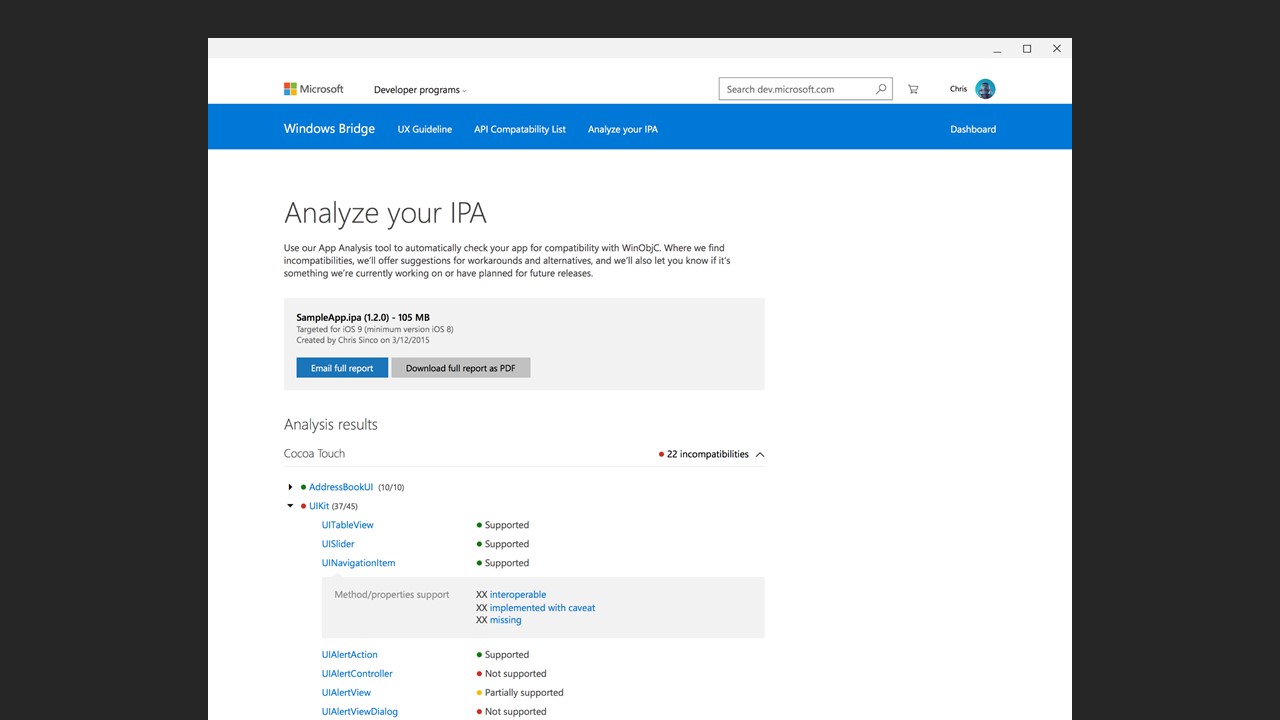
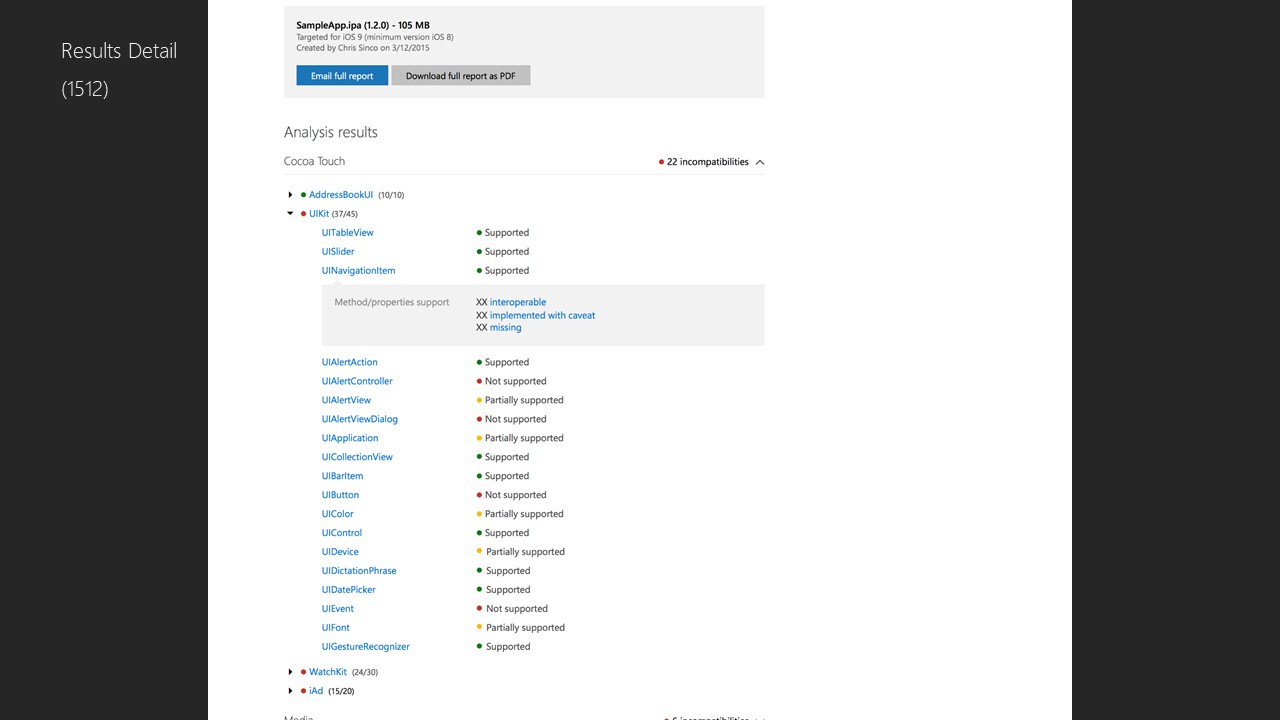
I designed the web experience where developers could discover Windows Bridge for iOS, validate their .ipa packages, and explore the possibilities of porting their apps. This included content layouts, signposts, and validation workflows that aligned with overall journey goals.
Hands-On Engineering Contribution
As an experienced iOS developer with published apps and an iOS programming book, I contributed technical insights to help Dev and PM teams prioritize, develop, test, and debug UI controls, app models, and interactions. I also submitted documentation and issue reports to the project’s GitHub repository and participated in early tests of the tooling.
Personal Use & External Impact
As an experienced iOS developer who has published several iOS apps and written an iOS programming book, I helped Dev and PM teams to prioritize, develop, test, debug UI controls, app models, and interactions. I contributed to the project via hands-on coding as well as documenting issues to GitHub,
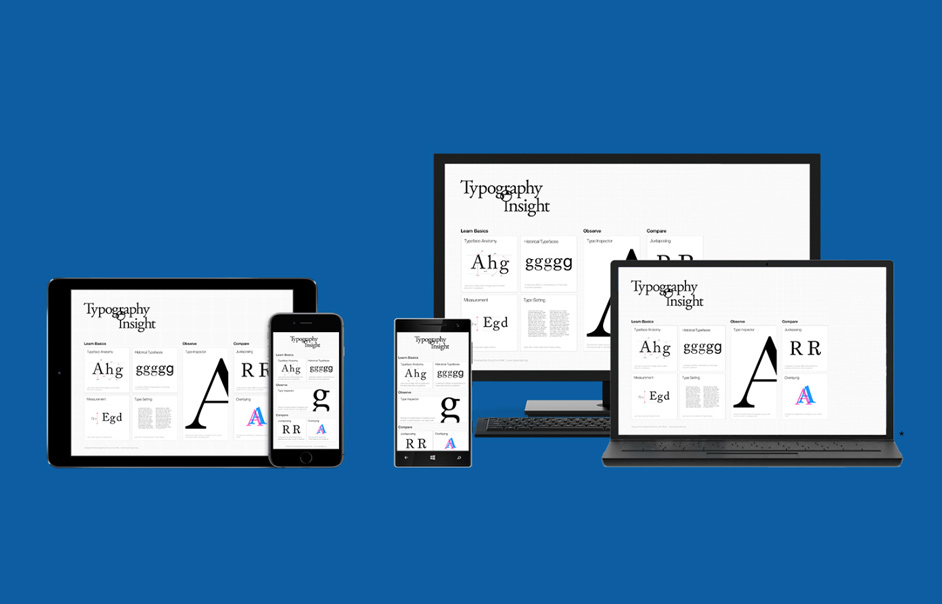
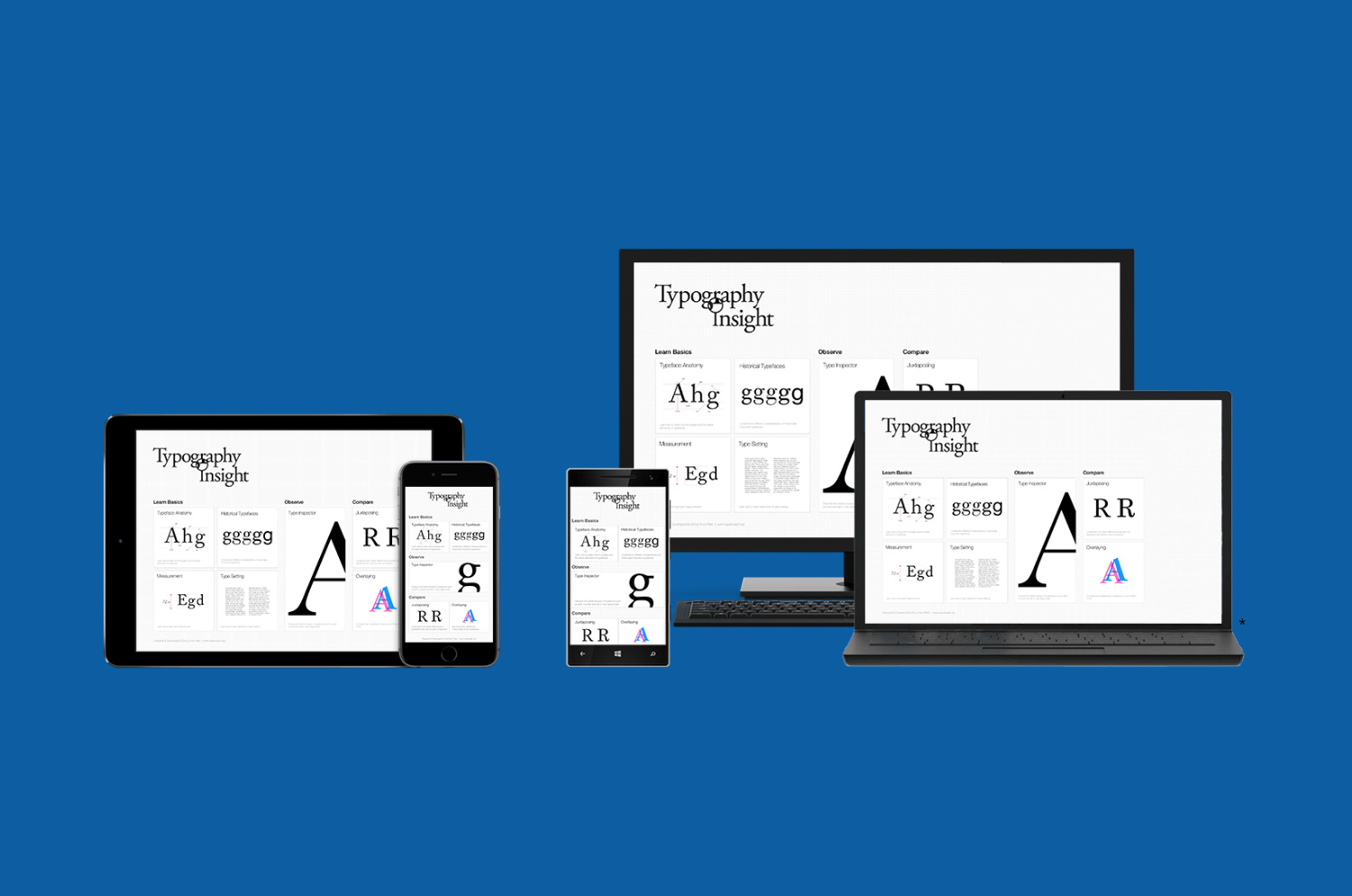
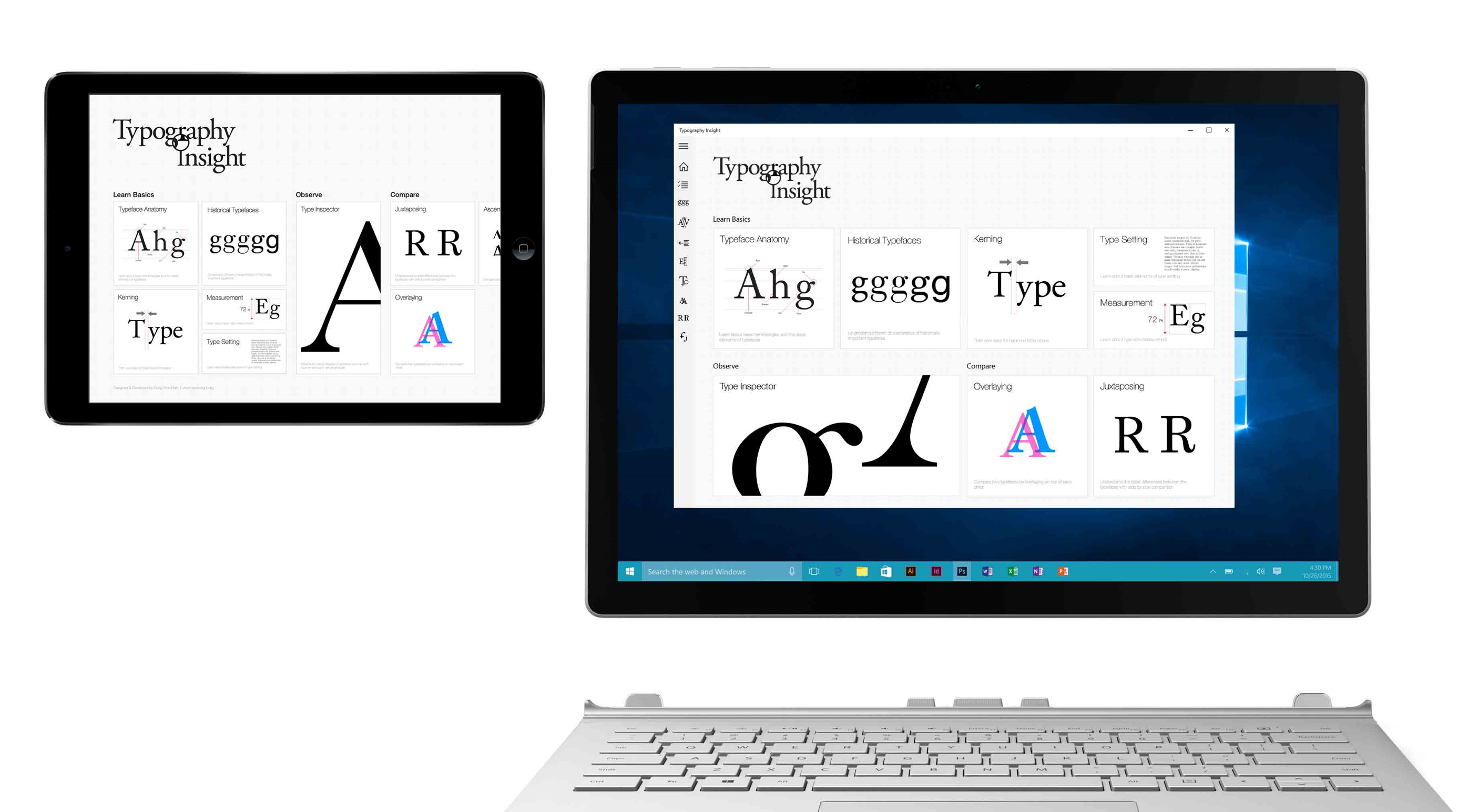
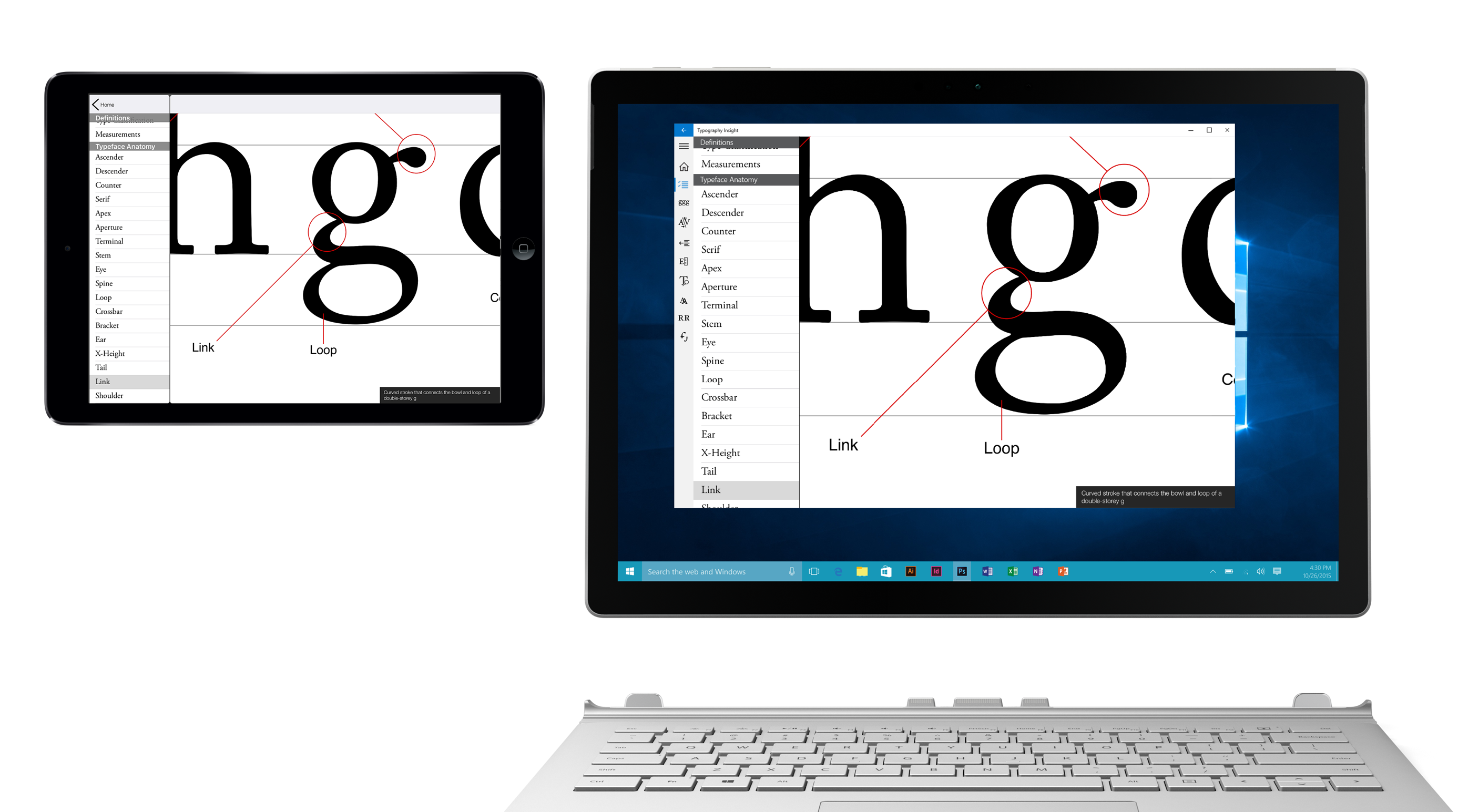
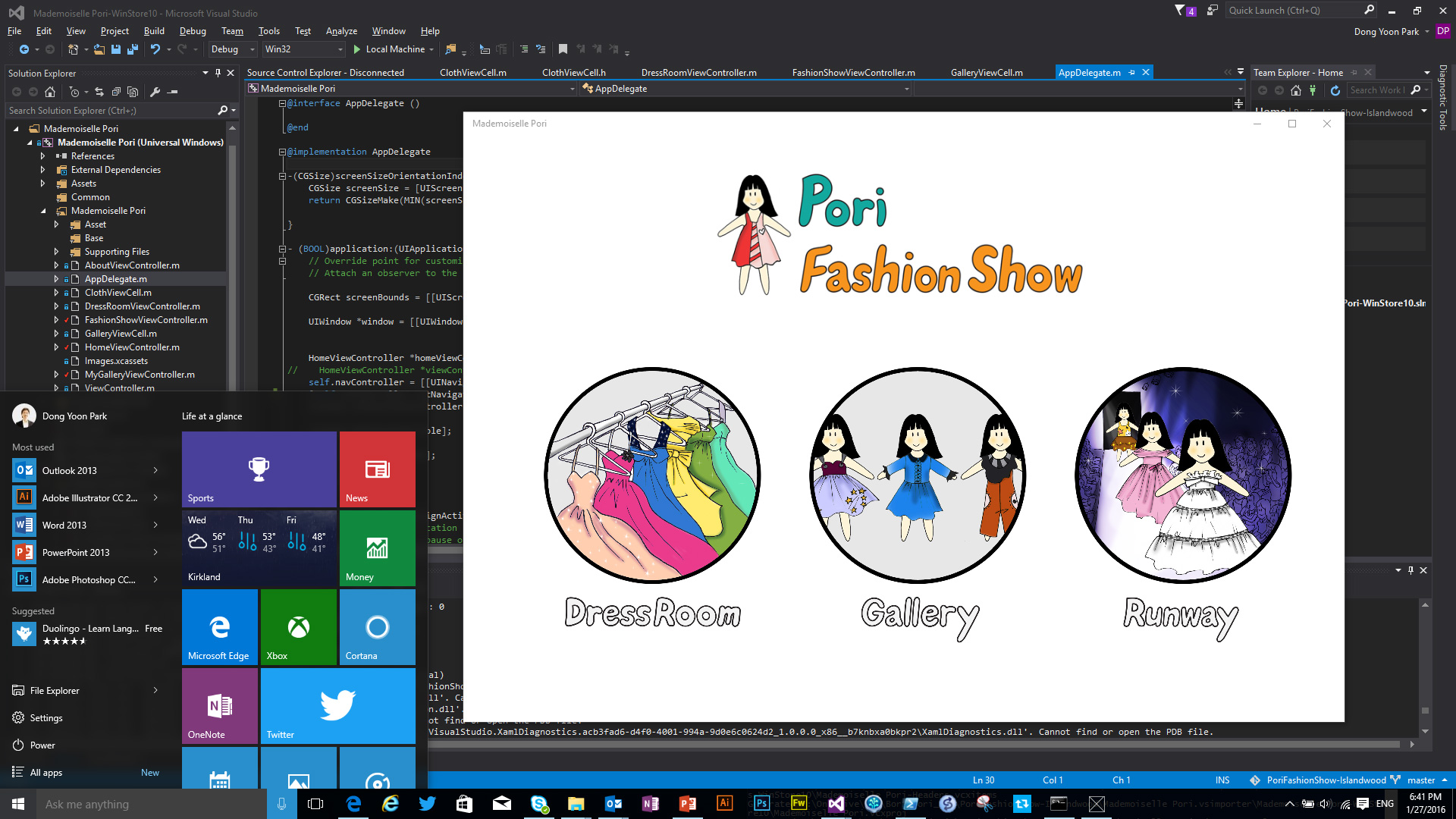
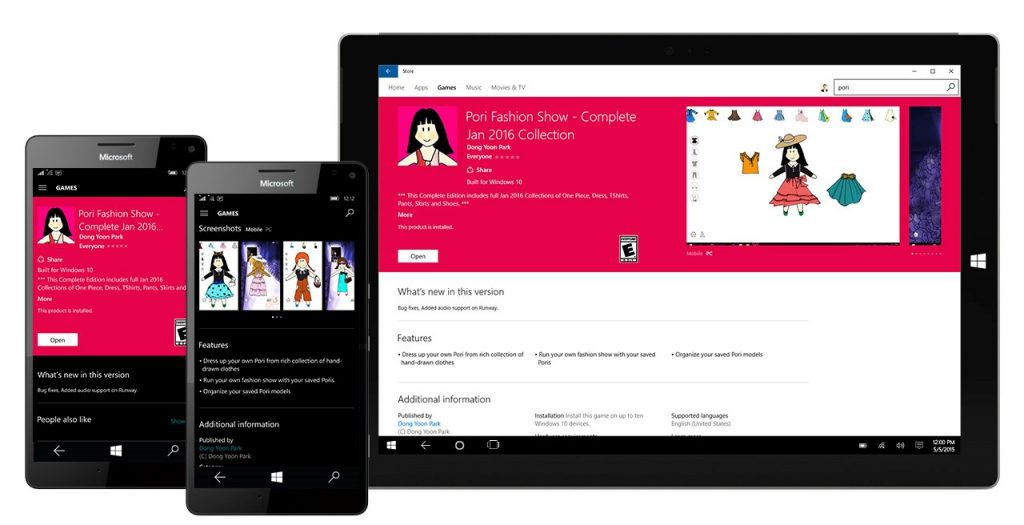
Personally, I used Windows Bridge for iOS for my own projects – Pori Fashion Show and Typography Insight. They were featured at Microsoft Build 2016 developer conference and I blogged takeaways and learnings.
Outcome
Windows Bridge for iOS empowered iOS developers to bring their apps to the Windows ecosystem with less friction, delivering tooling and UX guidance that demystified the process. My work helped shape the developer experience — from tooling to documentation — and contributed to the early success and community adoption of this open-source project.
Design Areas Covered
- Developer journey & onboarding flows
- UX controls mapping & translation guidelines
- Component analysis & cross-platform UI patterns
- Web experience design for dev tooling and discovery
- Hands-on collaboration with engineering & documentation workflows
Developer Journey
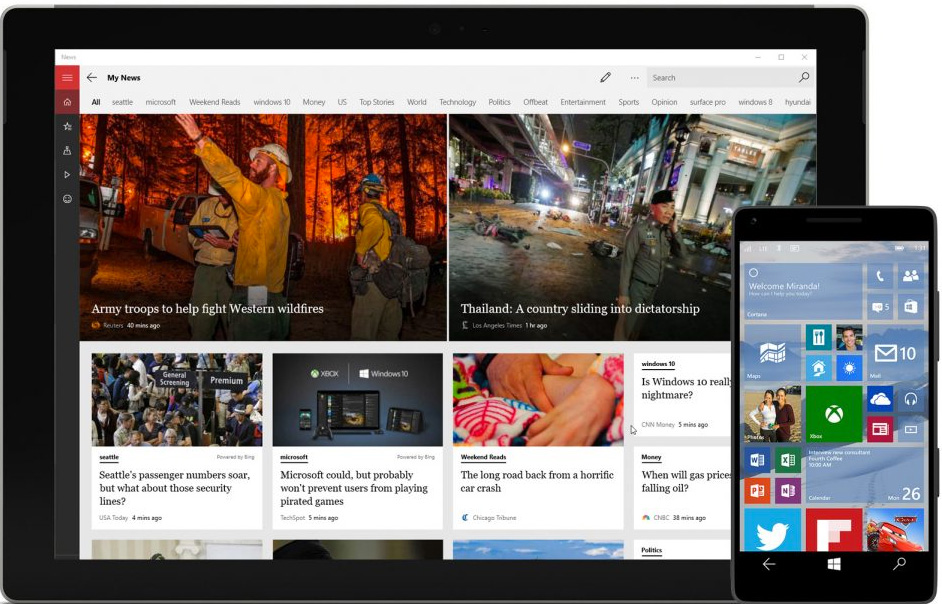
UX Controls Mapping & Translation
Created guidelines for translating UX building blocks to Windows 10 — including navigation patterns, control behaviors, and layout principles — to help teams consistently translate iOS UI into a native Windows experience.
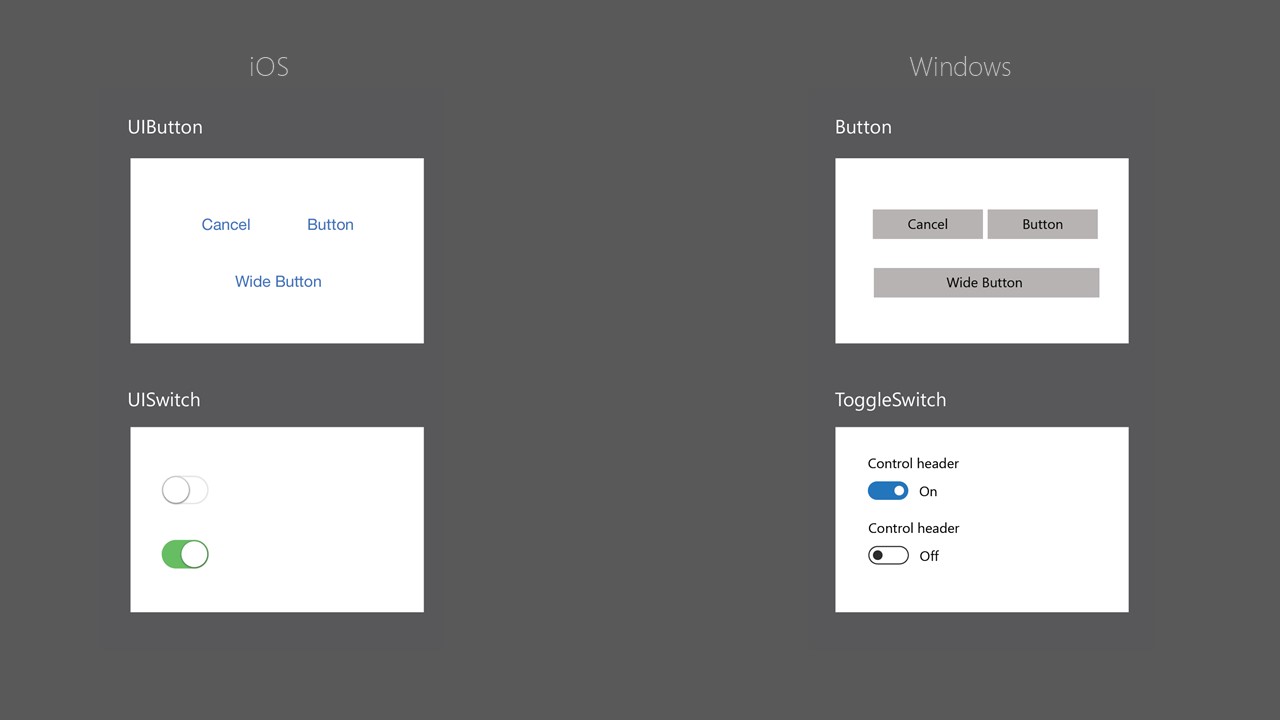
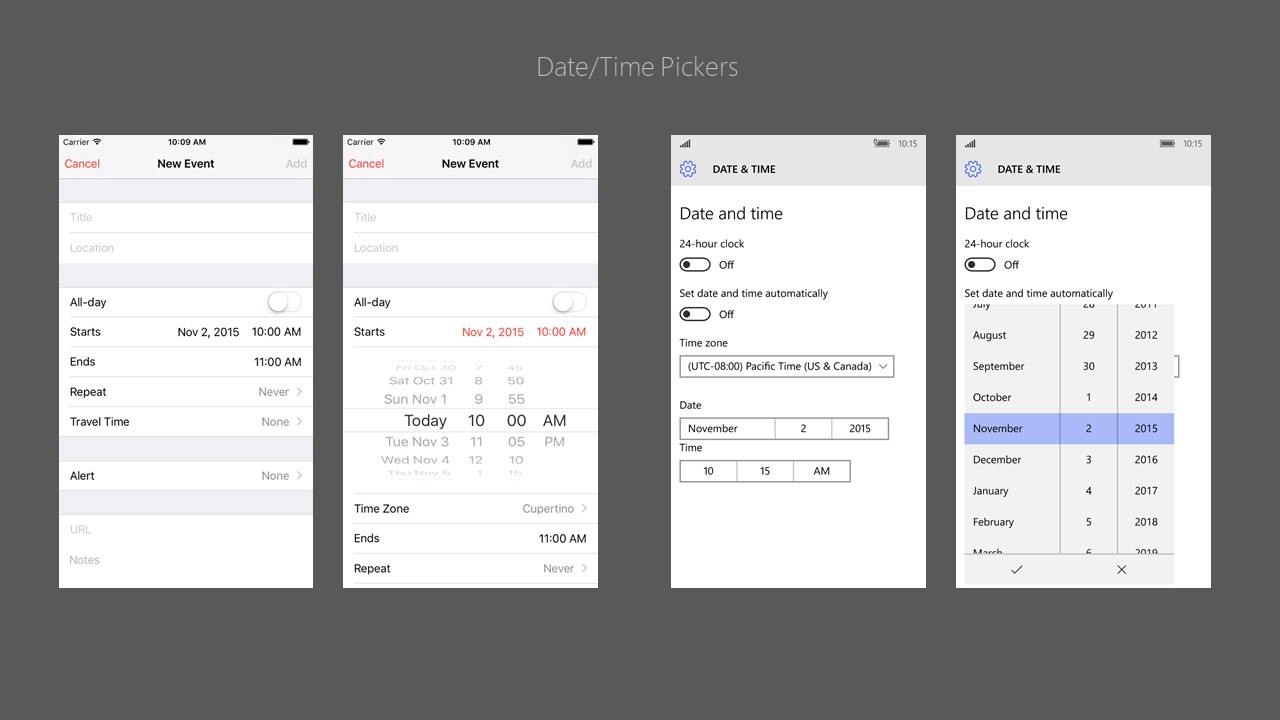
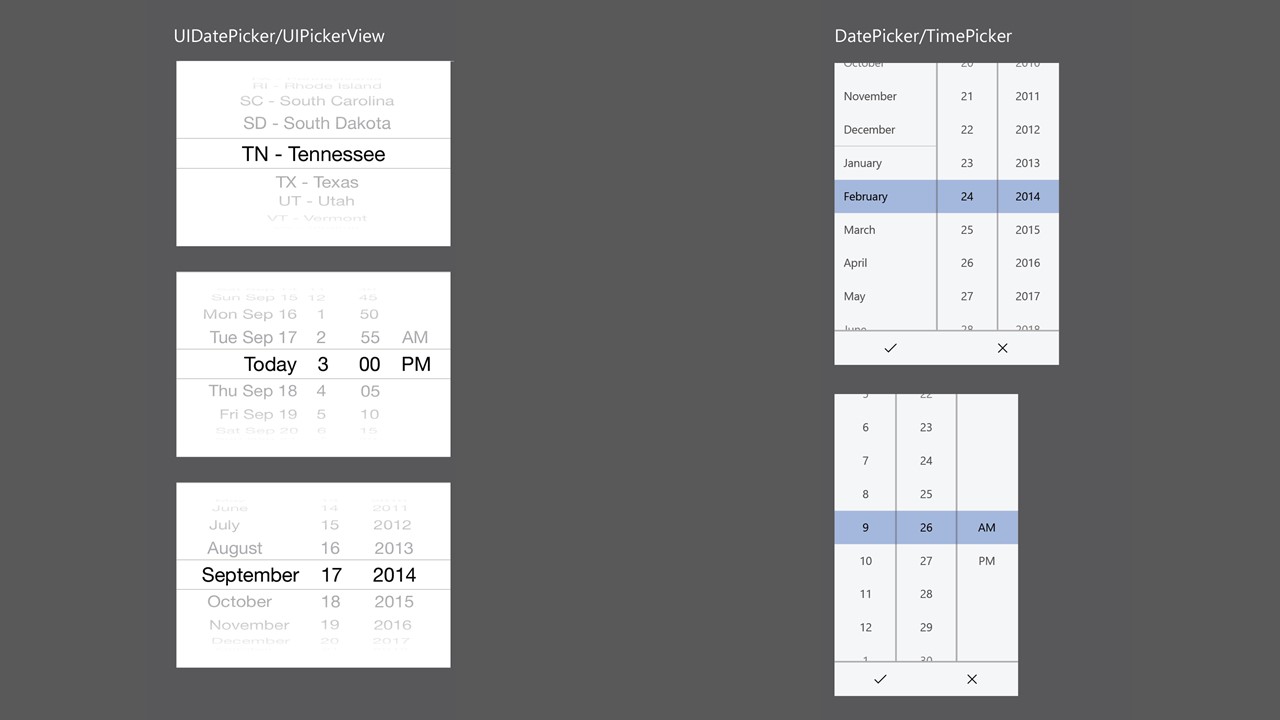
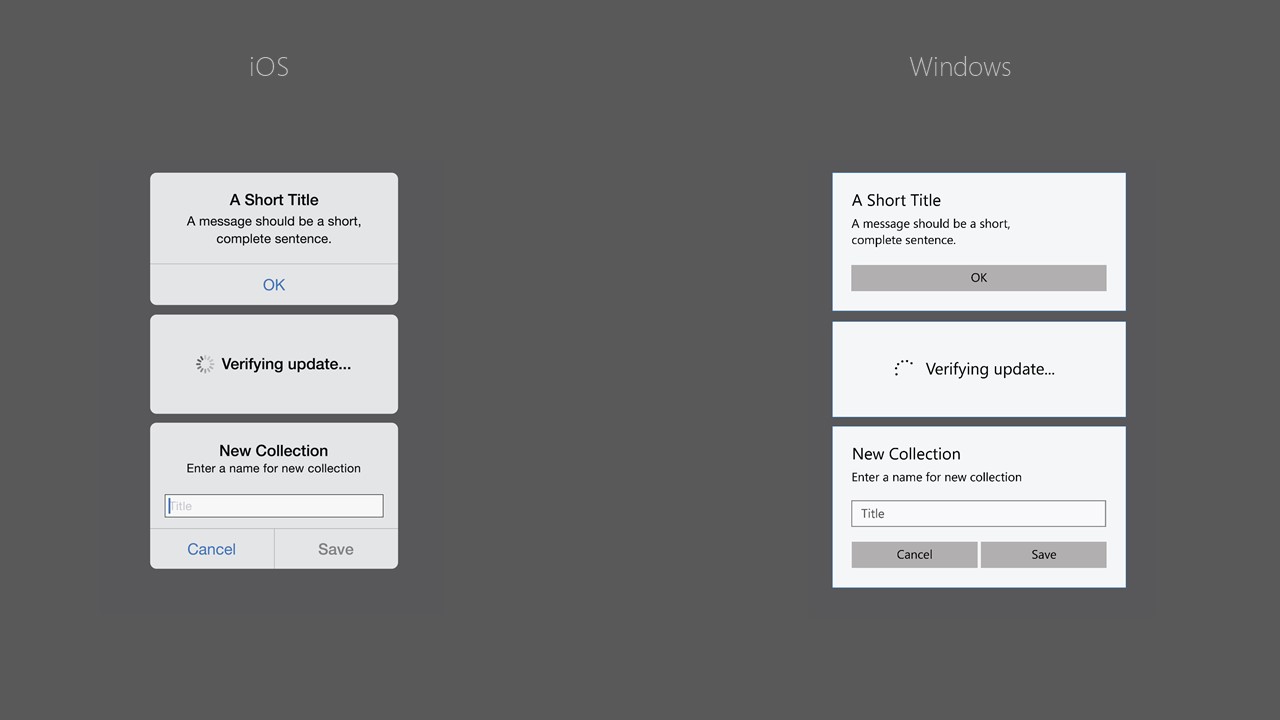
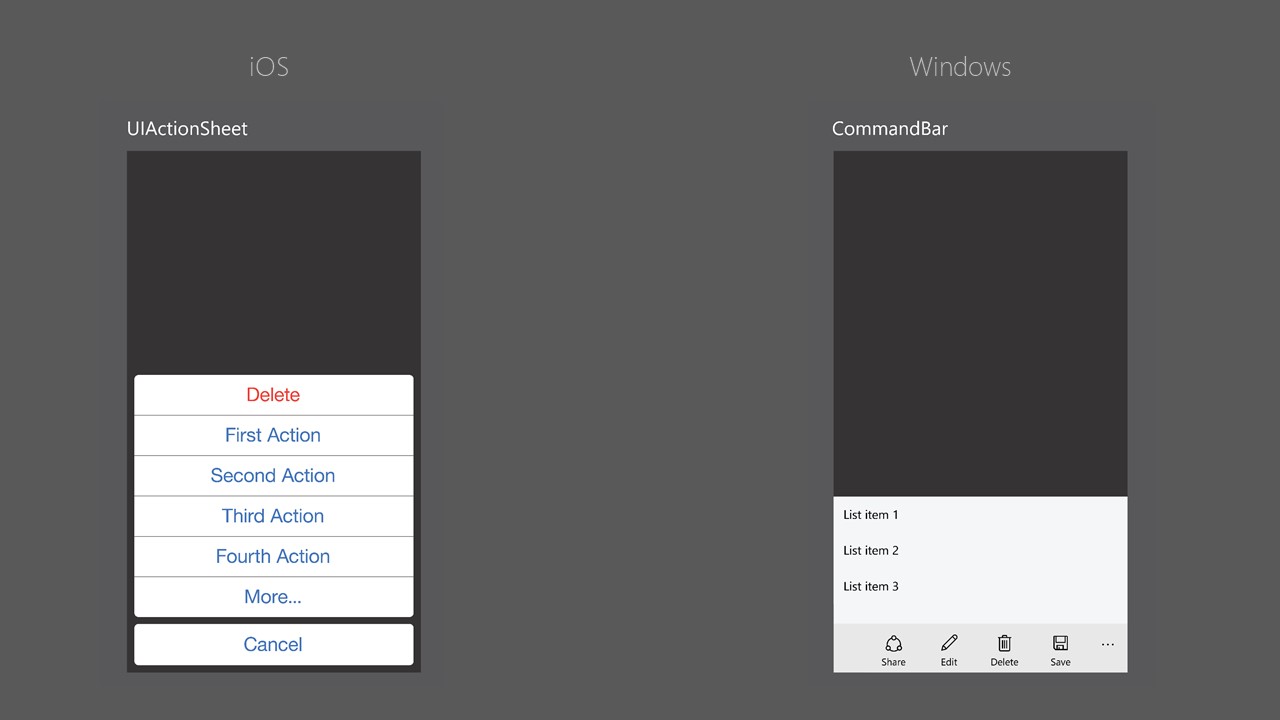
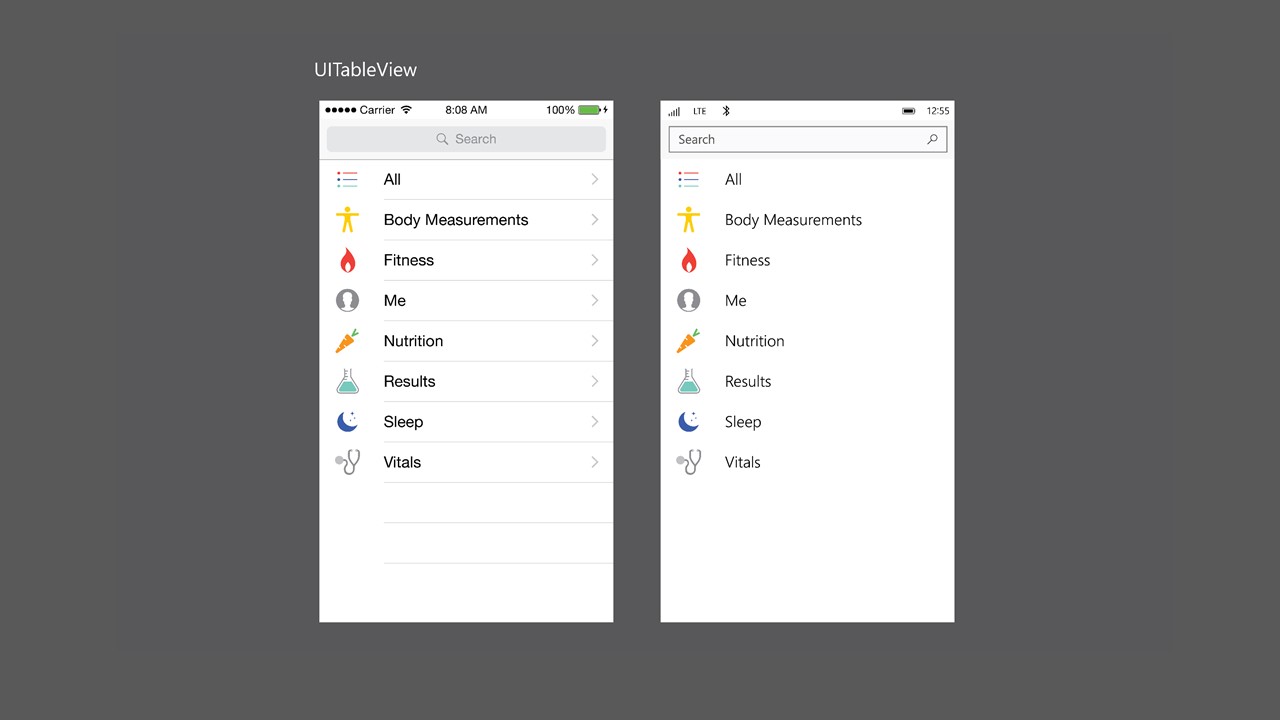
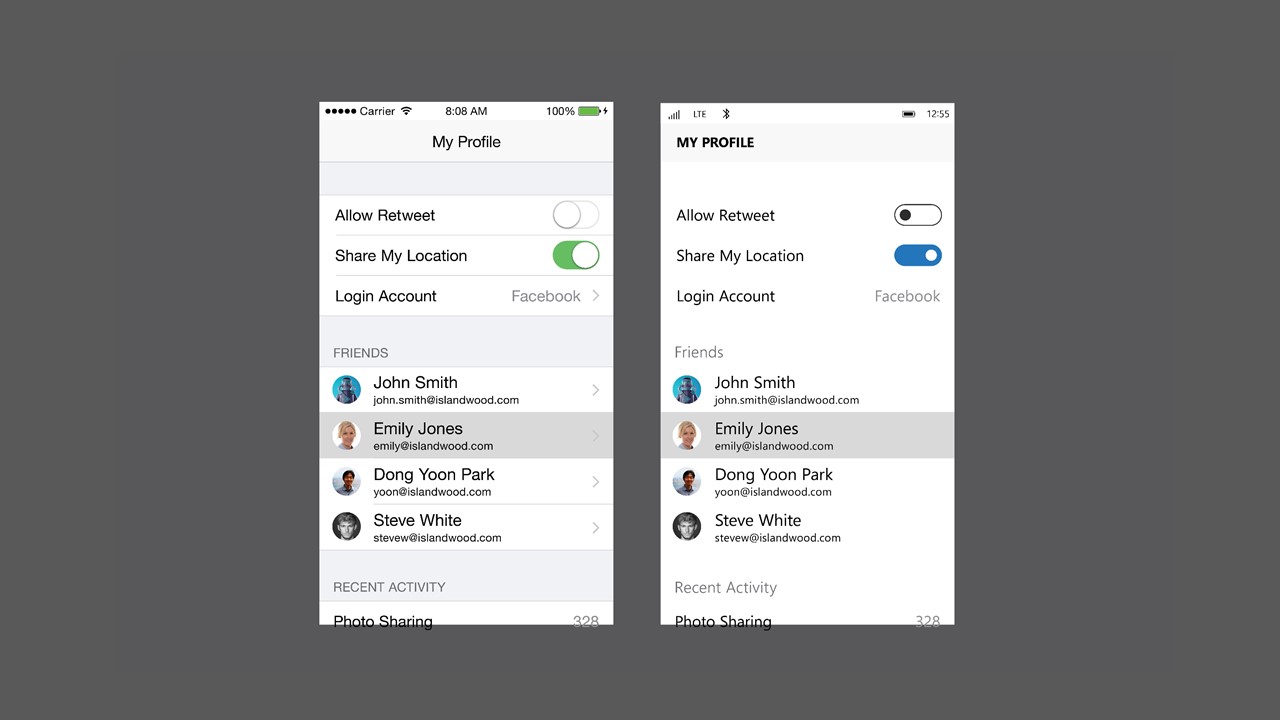
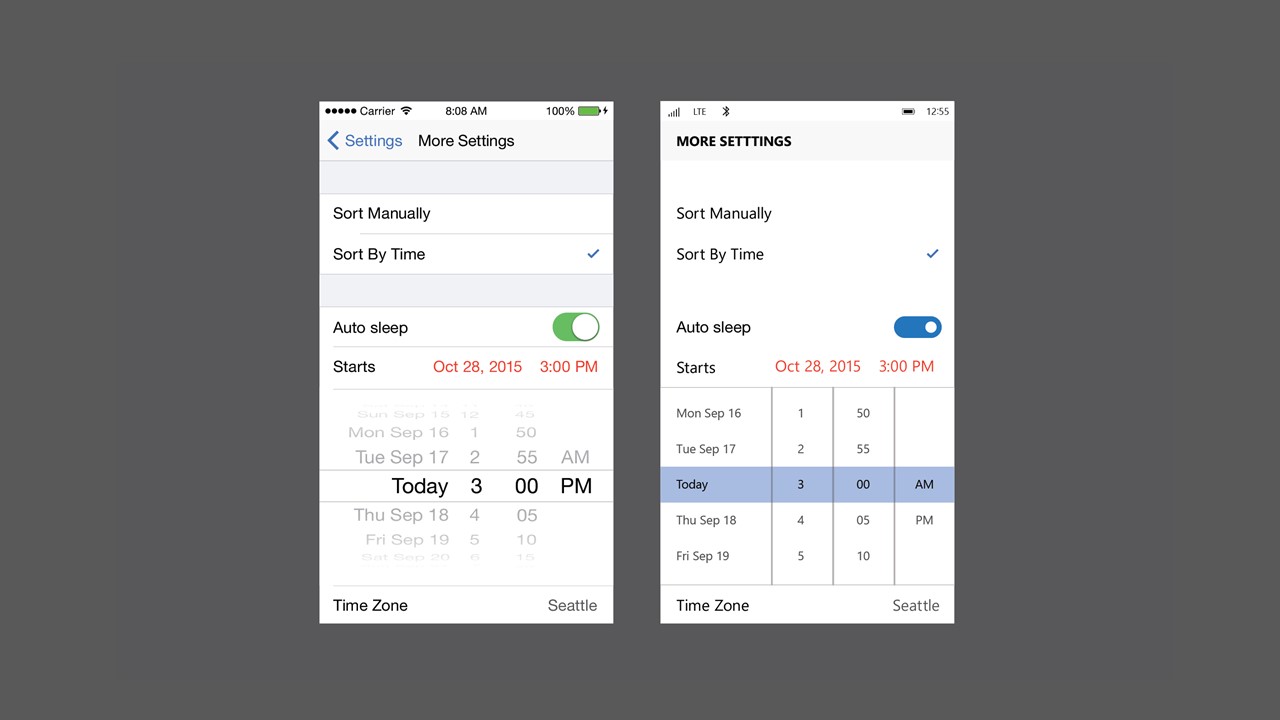
iOS UI Components in MSN Apps
Drawing from my experience designing MSN apps for iOS, I decomposed UI components and interaction patterns and translated them into Windows-native equivalents, enabling the team to scale patterns faster and avoid ambiguity during implementation.
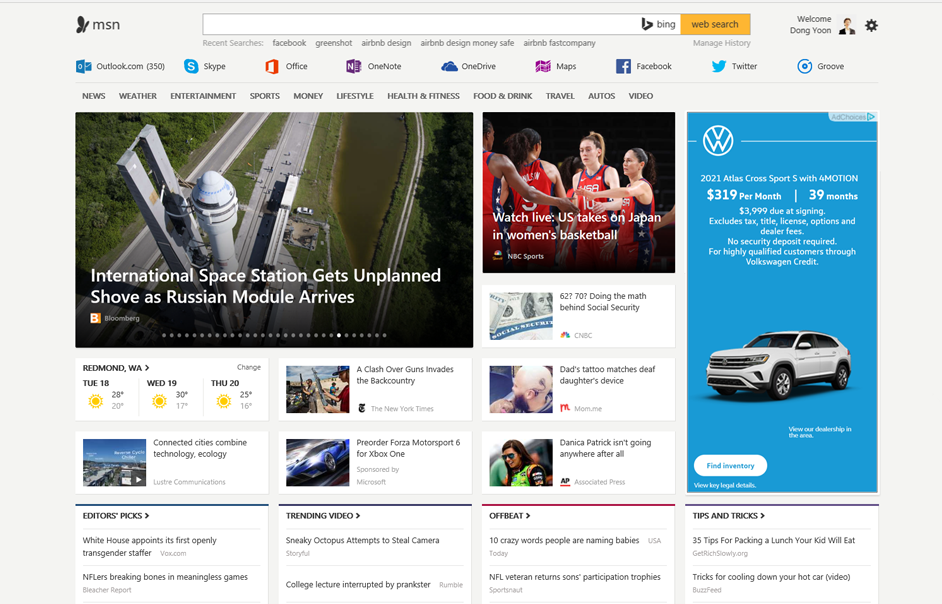
Web Experiences
Design of the web pages where developers can learn about Windows Bridge for iOS and discover possibilities by validating their .ipa iOS app packages.
App Examples
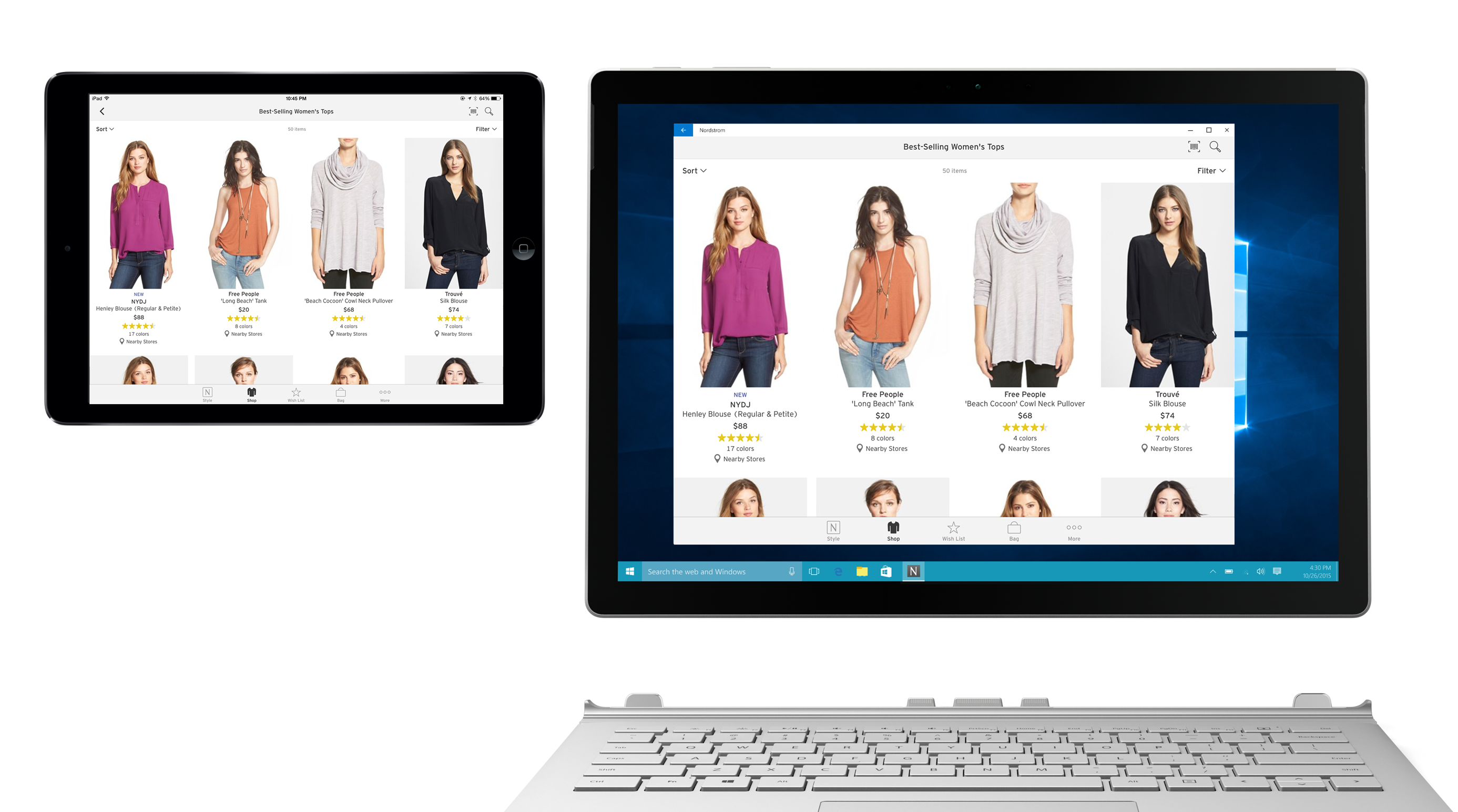
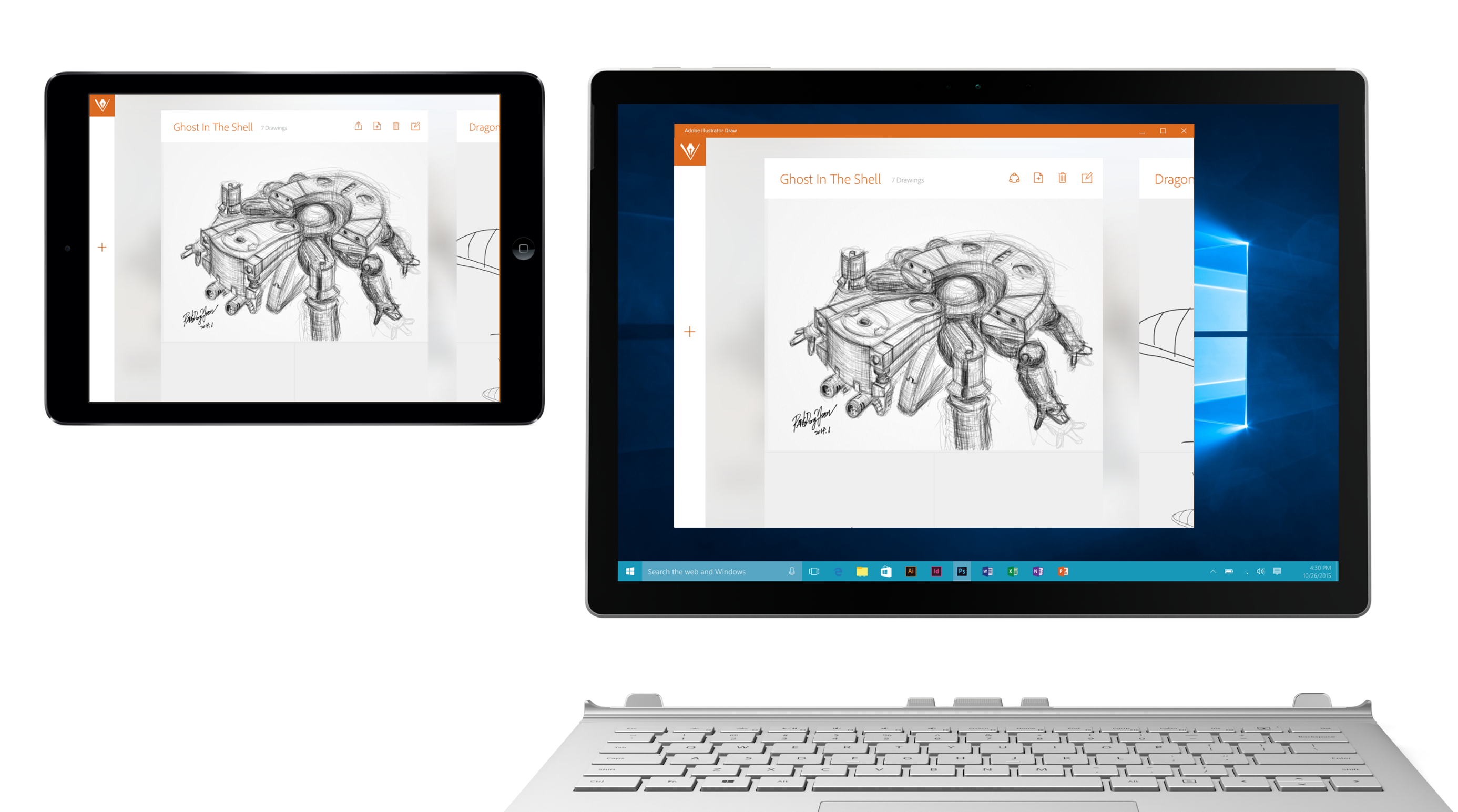
Presented at Microsoft Build 2016
My personal projects built using Windows Bridge for iOS were showcased at the Microsoft Build developer conference.
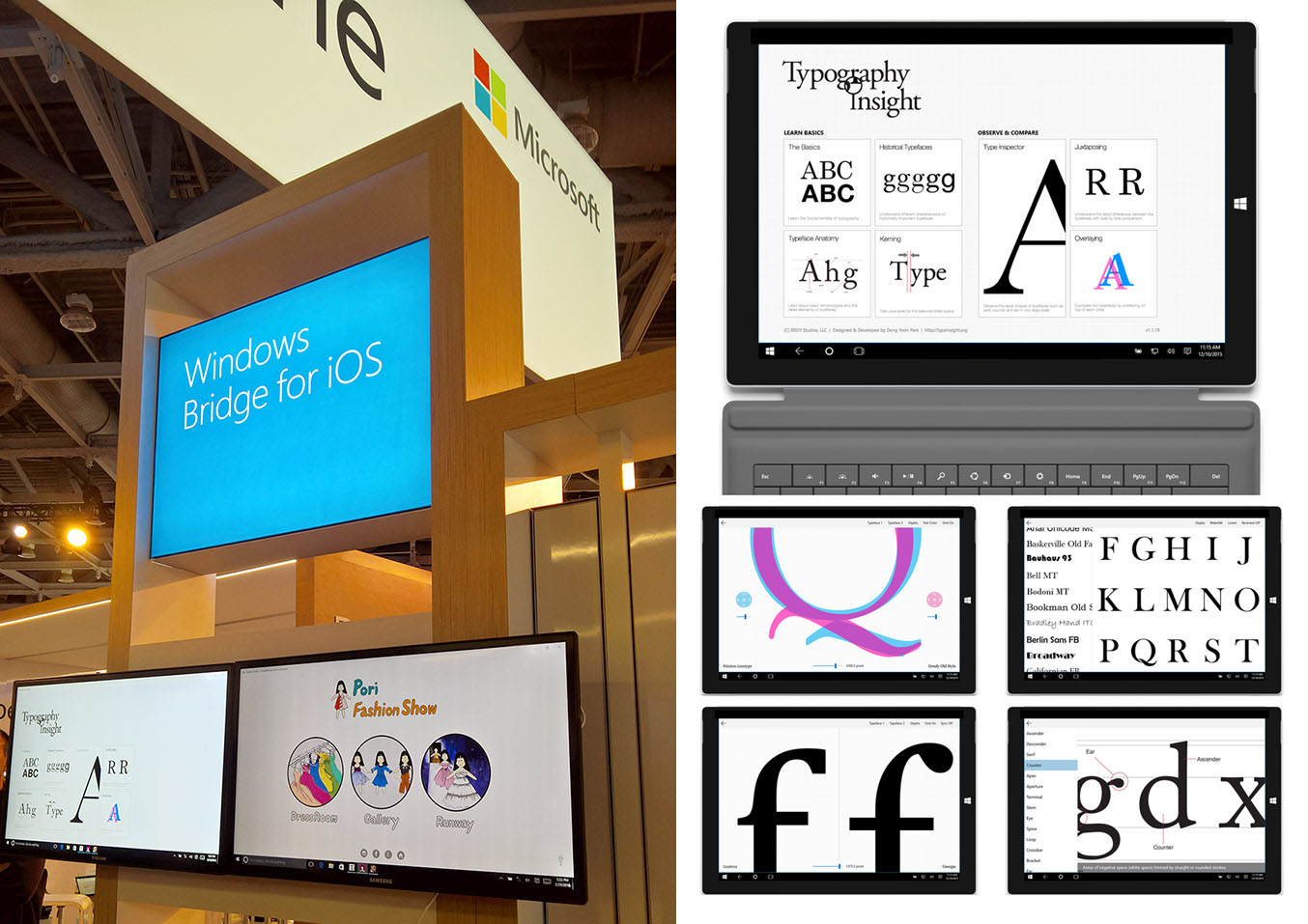
Published articles on Windows Developer Center
Bringing Pori Fashion Show to Windows Using Windows Bridge for iOS
Bringing Pori Fashion Show to Windows (Part 2)
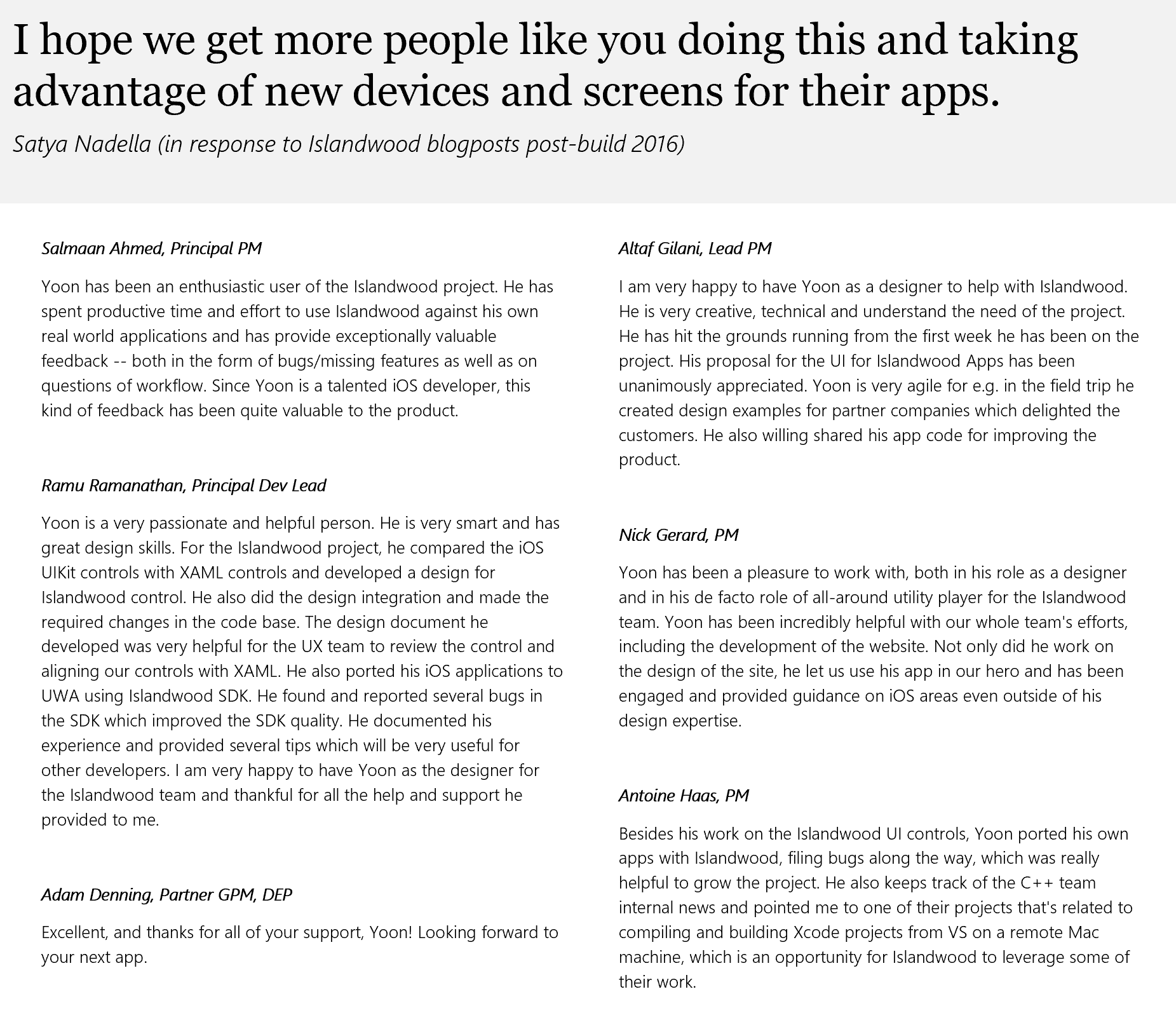
Engineering / PM partner feedback
Project homepage
https://developer.microsoft.com/en-us/windows/bridges/ios
GitHub
https://github.com/Microsoft/WinObjC
Other Works on 2D App UX Design
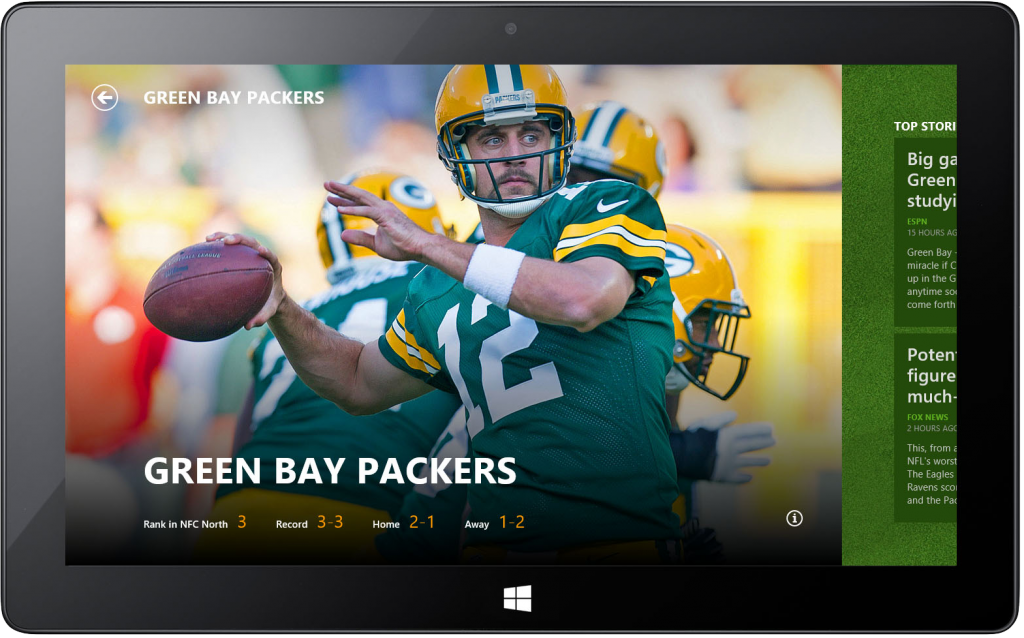
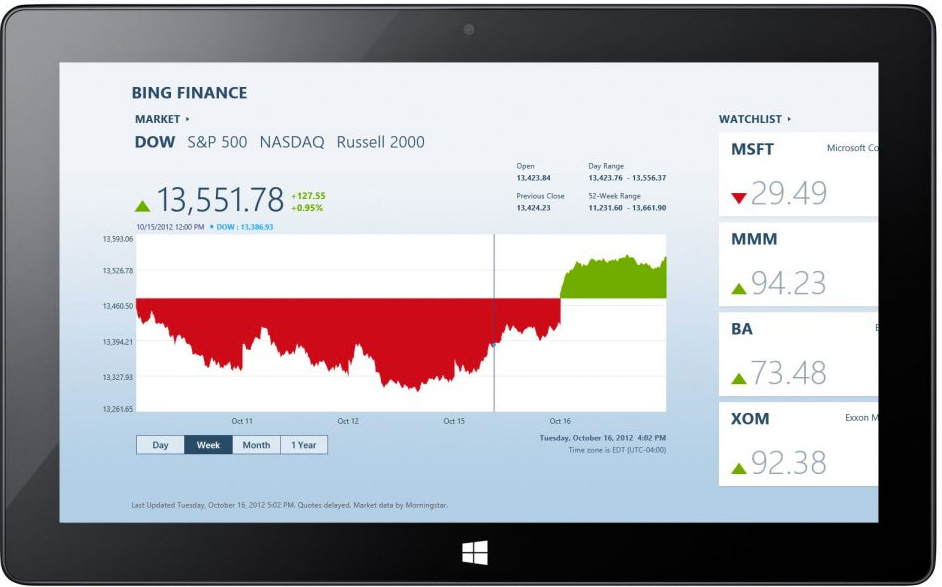
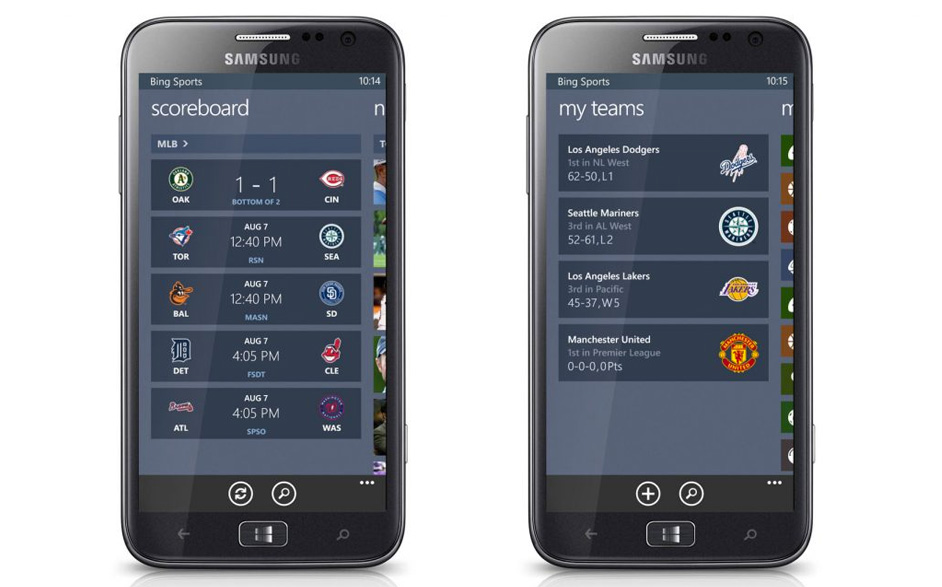
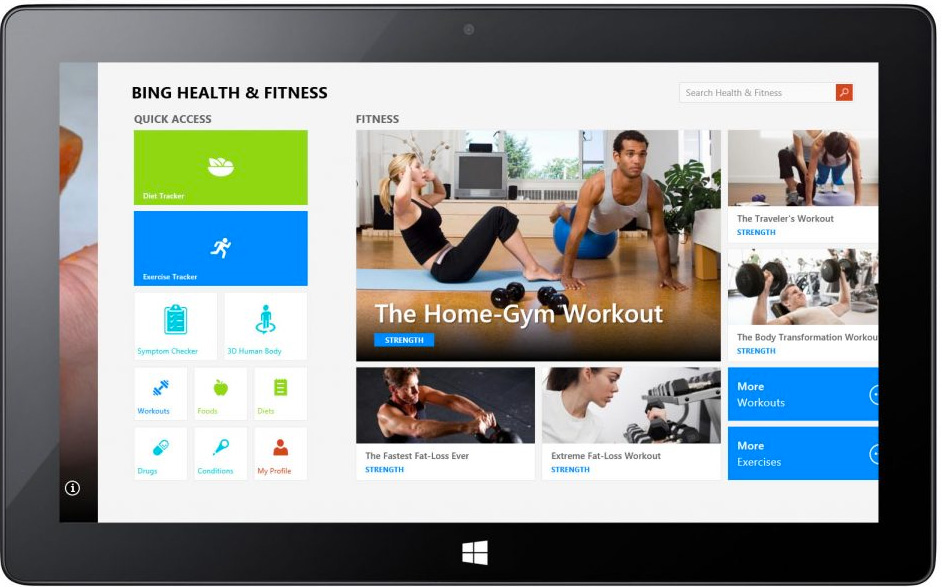
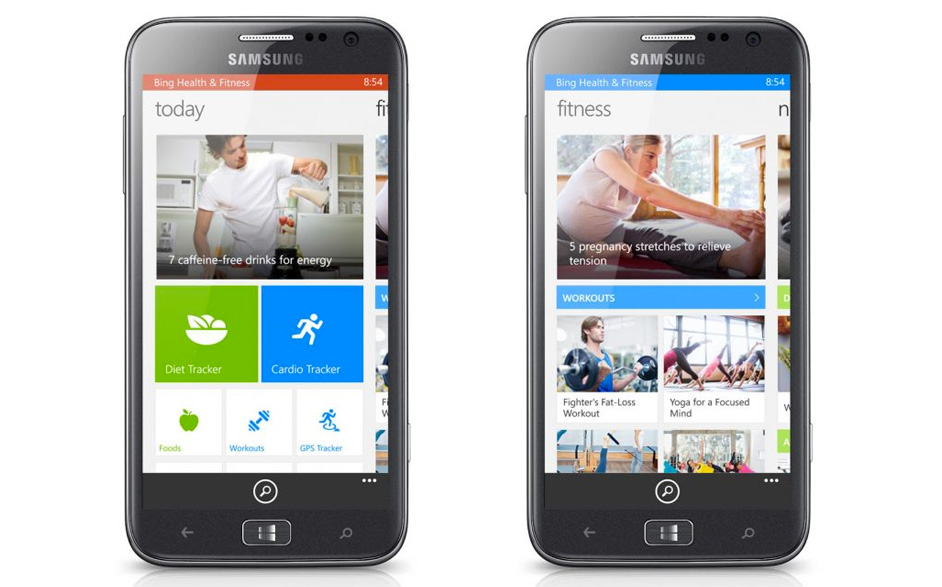
Health & Fitness App for Windows Phone 8
Metro-style default app suite for Windows 8.1