MRTK Figma Toolkit & Figma Bridge
Jul 2021, Mixed Reality | Microsoft

The MRTK Figma Toolkit provides 2D representations of HoloLens 2 UI controls that correspond to components available in MRTK for Unity and MRTK for Unreal. It enables designers to explore spatial UI concepts, create layouts, and build storyboards using a shared set of system-aligned building blocks.
- Figma Community Page
- Figma Toolkit on Microsoft Docs
- Figma Unity Bridge on Microsoft Docs
- Open MRTK Figma Toolkit
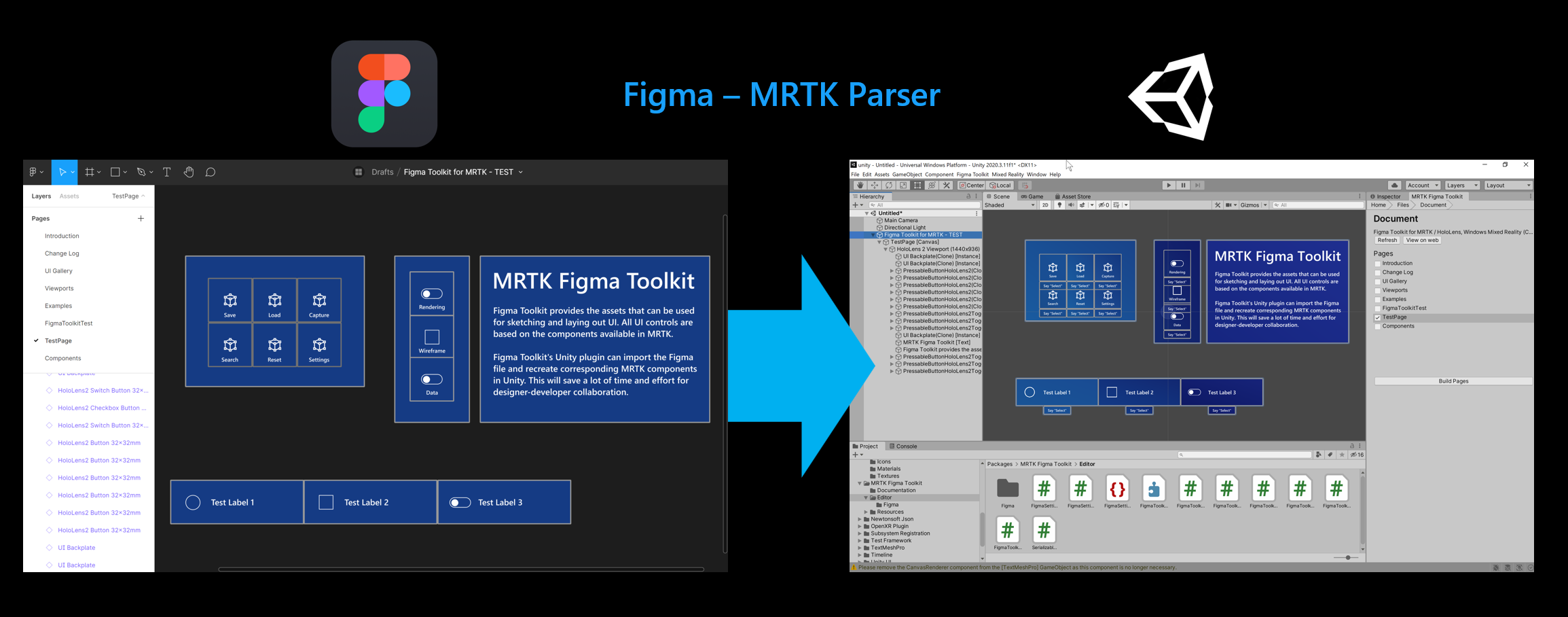
The MRTK Figma Bridge for Unity allows designers to bring layouts created in Figma directly into Unity. The bridge imports UI compositions from the MRTK Figma Toolkit and instantiates the corresponding MRTK prefabs with accurate position and scale. This workflow streamlines design integration and strengthens collaboration between designers and developers by reducing translation gaps between design and implementation.
Context
As the Mixed Reality Toolkit (MRTK) evolved into a foundational system for building spatial experiences, designers faced a growing challenge. While MRTK provided robust runtime components for developers, there was no equivalent design-time system that allowed designers to explore, prototype, and reason about spatial UI before implementation.
Problem
Designing for mixed reality introduces challenges that traditional 2D UI tools are not built to handle:
- Spatial UI components behave differently depending on distance, scale, and context
- Interaction states are dynamic and often continuous, not discrete
- Designers and engineers lacked a shared representation of MRTK building blocks
- External partners and ISVs struggled to understand how system components should be composed and themed
Without a design-time toolkit, teams relied on ad hoc mockups, screenshots, or code-first exploration, which made collaboration inefficient and inconsistent.
Role
I led the vision and execution of the MRTK Figma Toolkit as part of the broader MRTK design system. My responsibility was to translate runtime UX building blocks into a designer-friendly format that preserved intent, behavior, and constraints.
I worked closely with visual designers, technical designers, engineers, and partner teams to ensure the toolkit reflected real implementation details while remaining flexible and approachable for designers across skill levels.
Translating Runtime Components into Design Primitives
- Identified essential MRTK UX building blocks to represent in Figma
- Abstracted spatial UI components into reusable design primitives while preserving behavior and intent
- Ensured consistency between design assets and runtime components
Enabling Early Exploration and Alignment
- Designed the toolkit to support rapid exploration of spatial UI layouts, states, and theming
- Enabled designers to prototype interaction ideas before implementation
- Reduced friction between design and engineering by establishing a shared vocabulary
Supporting Extensibility and Theming
- Designed components to be flexible and theme-aware rather than visually prescriptive
- Enabled partners and ISVs to express their own brand identity while staying aligned with MRTK patterns
- Supported accessibility and scalability considerations through structured component variants
Collaboration and Distribution
- Iterated on the toolkit based on feedback from internal teams and external partners
- Published the MRTK Figma Toolkit publicly to support the broader XR design community
- Maintained and updated the toolkit alongside MRTK’s evolving design language
MRTK Figma Toolkit (Design File)
Figma Bridge for Unity (Unity importer)
Presented at AWE 2021
How Figma Toolkit can help your UX design process for Mixed Reality
Presented at Tokyo HoloLens Meetup
Outcome
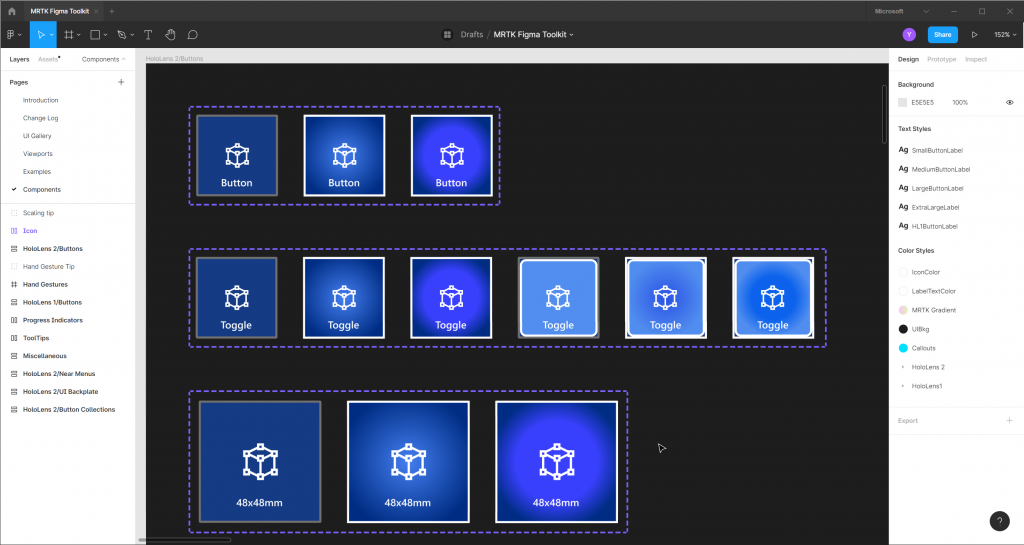
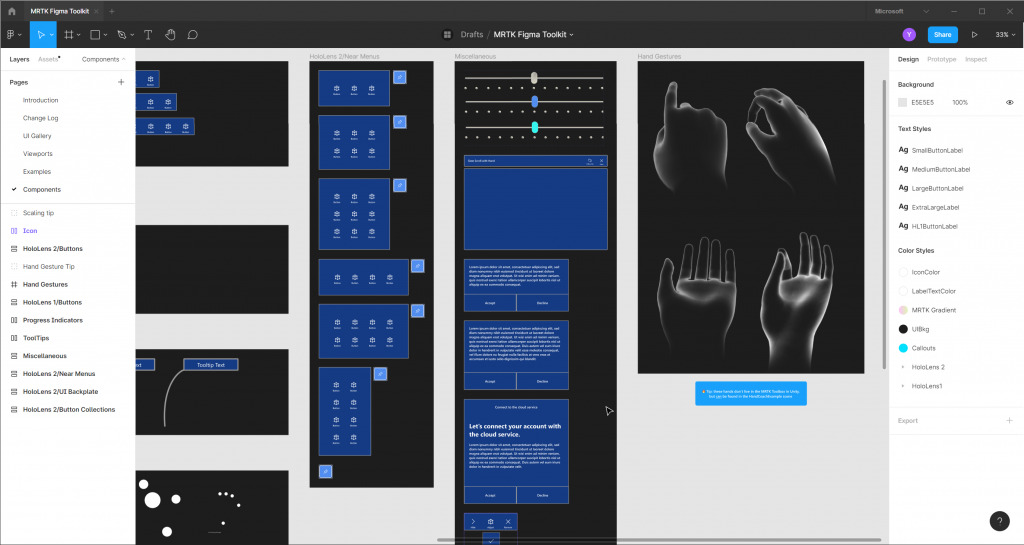
Components
Components with all available visual states in MRTK’s prefab.
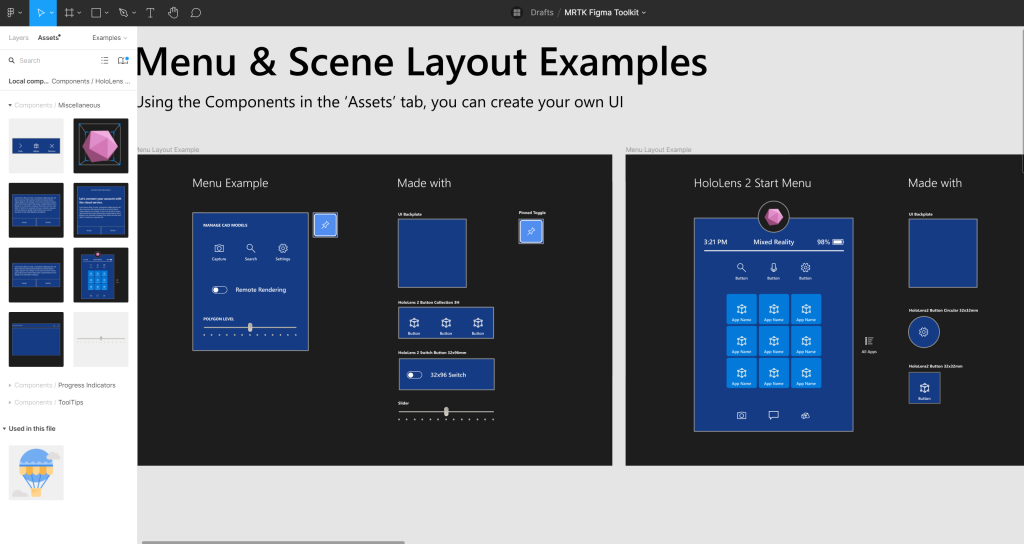
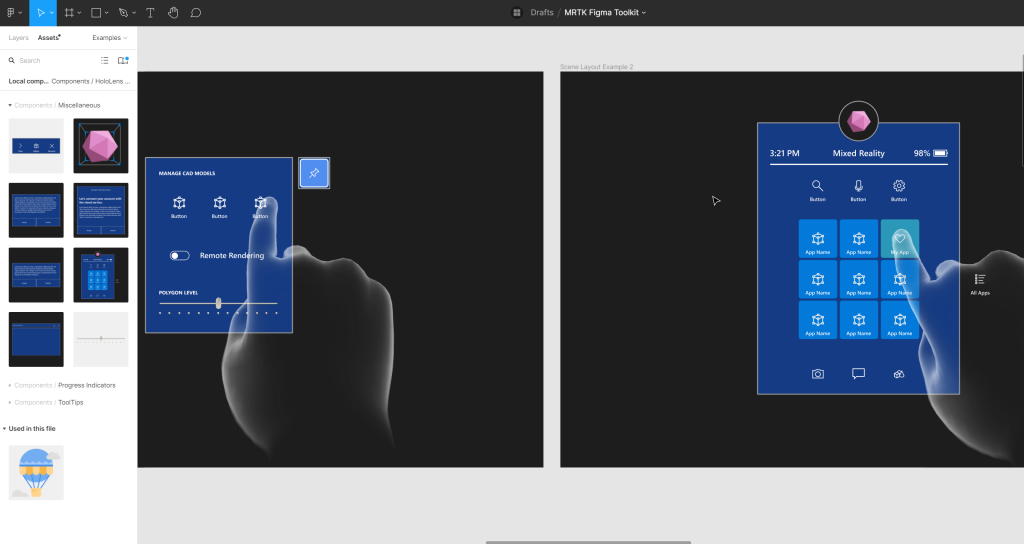
Menu & Scene Layout Examples
Created examples to demonstrate how designers can use components to construct simple UI.
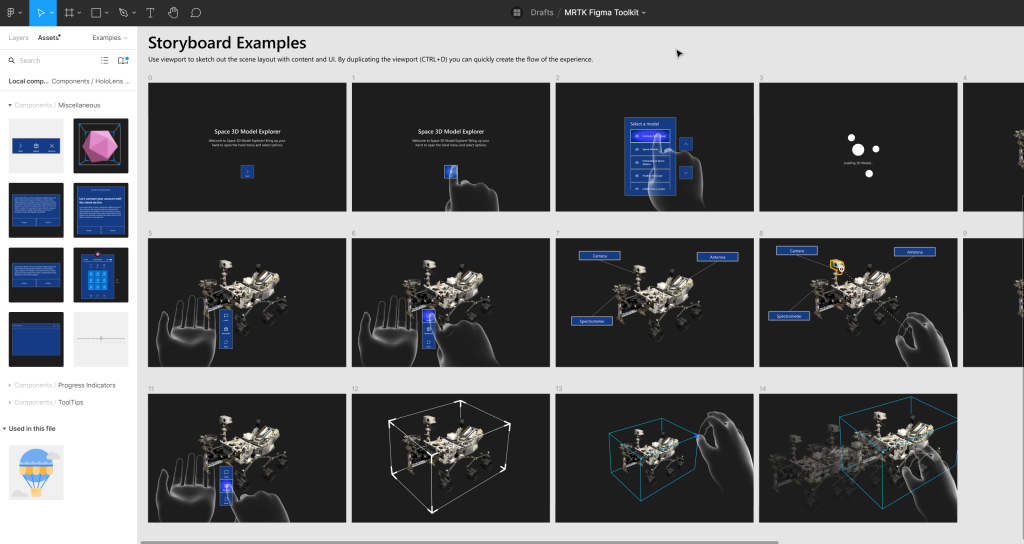
Storyboard Examples
Based on our experience in the internal design process, we found that Figma is useful for storyboarding purposes. Using UI components, viewport, and hand models, I created a series of examples for storyboarding scenarios.
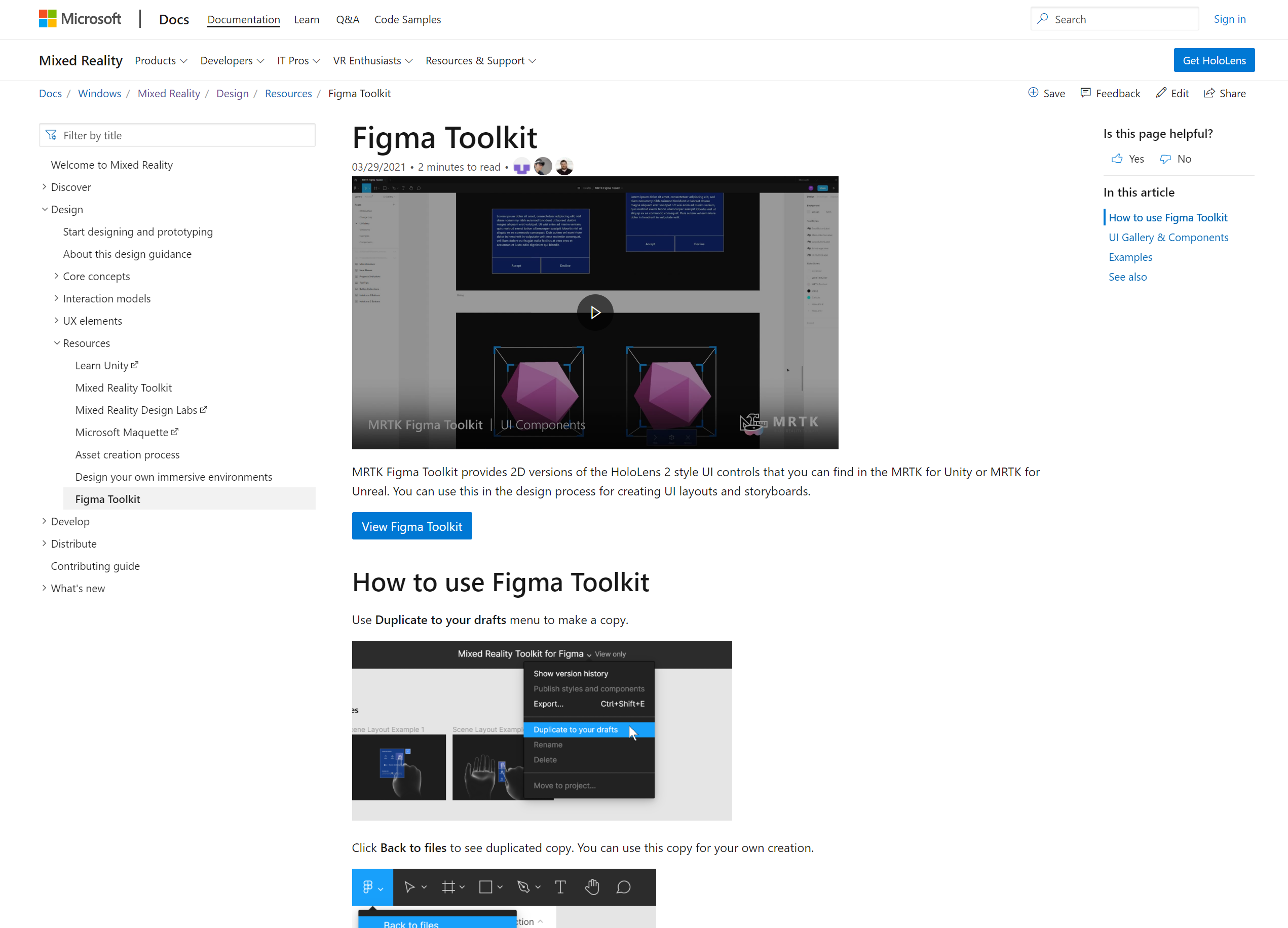
Intro Pages on Mixed Reality Docs
Created pages with video content for MRTK Figma Toolkit, where designers and creators can discover and learn about the tool.
Figma Toolkit
https://docs.microsoft.com/en-us/windows/mixed-reality/design/figma-toolkit
Figma Unity Bridge
https://docs.microsoft.com/en-us/windows/mixed-reality/design/figma-unity-bridge
End-to-end voice-over demo video
Impact
The MRTK Figma Toolkit has become a key enablement tool for designers working in mixed reality, both inside and outside Microsoft. It has improved cross-functional collaboration, reduced ambiguity in early design phases, and empowered designers to engage more deeply with spatial interaction design.
By establishing a shared design language and lowering the barrier to entry for spatial UI exploration, the toolkit contributed to a more inclusive and scalable XR design ecosystem.