Overview
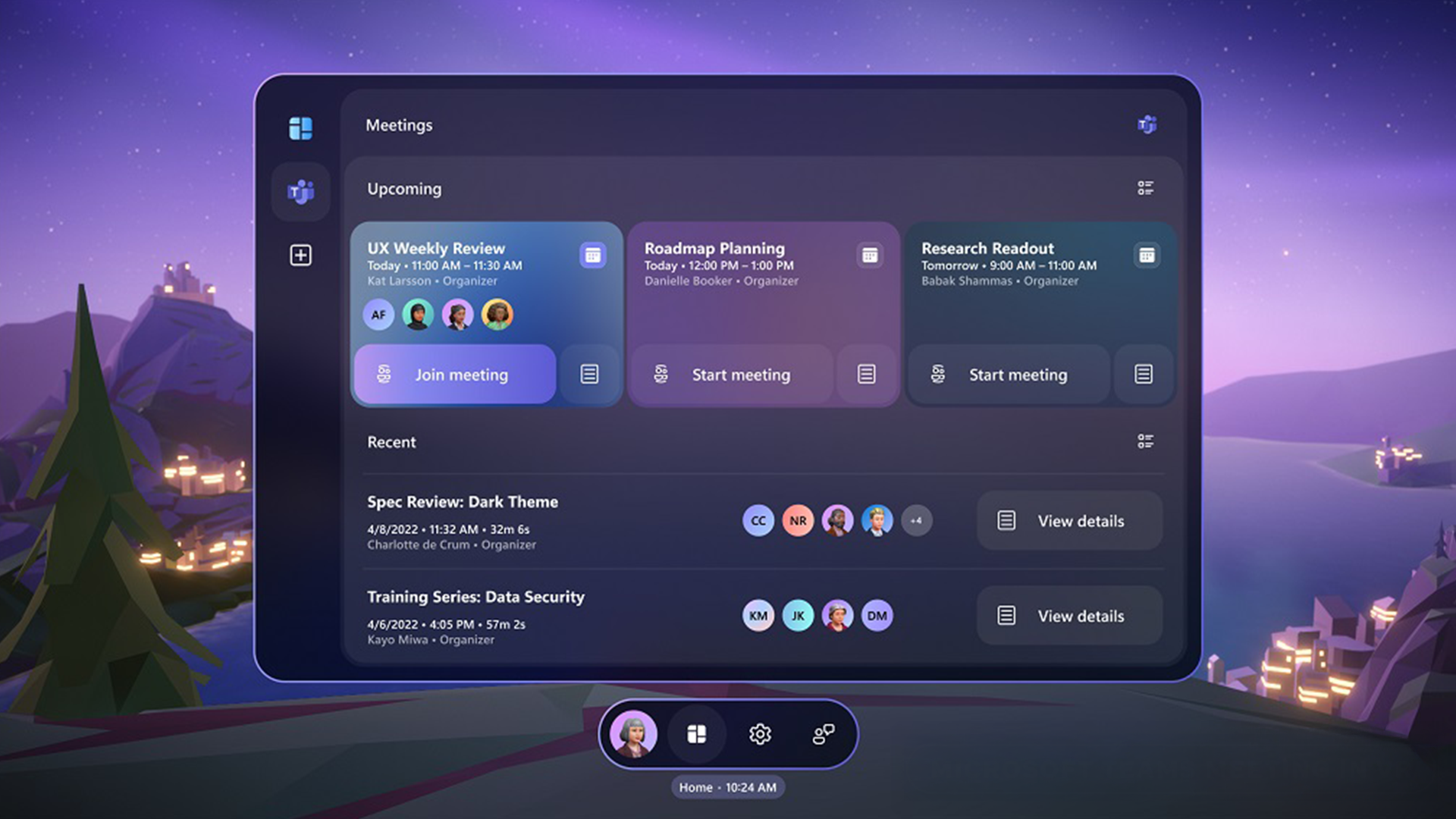
Mixed Reality Design Language (MRDL) is Microsoft’s spatial UI system for productivity-grade mixed reality. It evolved the HoloLens 2 design language into a depth-aware framework for virtual meetings, shared content, multi-window layouts, and collaboration.
MRDL first shipped through Microsoft Mesh and was then productized through MRTK3 UX components. This created a bridge from first-party product experience to reusable tooling and gave Unity developers access to the same interaction system used inside Microsoft.
Scope & Impact
Scope
Principal Designer and Principal Design Manager leading platform direction and a 12-person multidisciplinary Design Language team across interaction, visual design, technical art, prototyping, audio, research, product, and engineering.
Impact
Connected Microsoft Mesh product experience, MRTK3 implementation, and public developer tooling through MRDL. Established a reusable, productivity-grade spatial UI stack and extended the same system across HoloLens, Teams, Quest, and Unity developer workflows.
Context
My scope spanned two complementary roles. As a Principal Designer, I helped define the MRTK UX foundations used throughout Microsoft Mesh. As a Principal Design Manager, I led a 12-person multidisciplinary team that evolved those foundations into a productivity-grade design language spanning product experience, reusable tooling, and the developer ecosystem.
Scope & Leadership
Platform Foundation as Principal Designer
- Defined spatial interaction principles and component behaviors for MRTK and Microsoft Mesh
- Partnered with Mesh product and research teams to shape early MRDL system direction
- Translated spatial UX rationale into reusable, production-ready Unity components
Organizational Leadership as Principal Design Manager
During a five-month leadership window, I led a 12-person Design Language team responsible for the system from visual direction through implementation fidelity:
- Visual design system
- Common UI controls and UX patterns
- Material, shader, lighting, and depth systems
- Audio design
- End-to-end design integration across Mesh
The team combined the following disciplines:
- Visual designer
- Interaction designer
- Technical artists and shader specialists
- Prototyping engineer
- Audio designer
- (plus partner engineers and PM collaborators across the org)
I established an operating model that connected product direction, design quality, and technical execution.
Shared planning and review rituals aligned:
- Interaction Design
- 3D Art and Avatars teams
- User Research
- Established design-to-engineering pipelines and reviews so shipped UI retained the intended interaction and visual fidelity
- Aligned Mesh product, design, and MRTK engineering around a scalable UI stack that supported theming, rapid iteration, and adaptable layouts
- Externalized MRDL components through MRTK for other Microsoft products and the public developer ecosystem
Platform Strategy
- Evolve the HoloLens 2 design language into a richer, depth-aware system for productivity
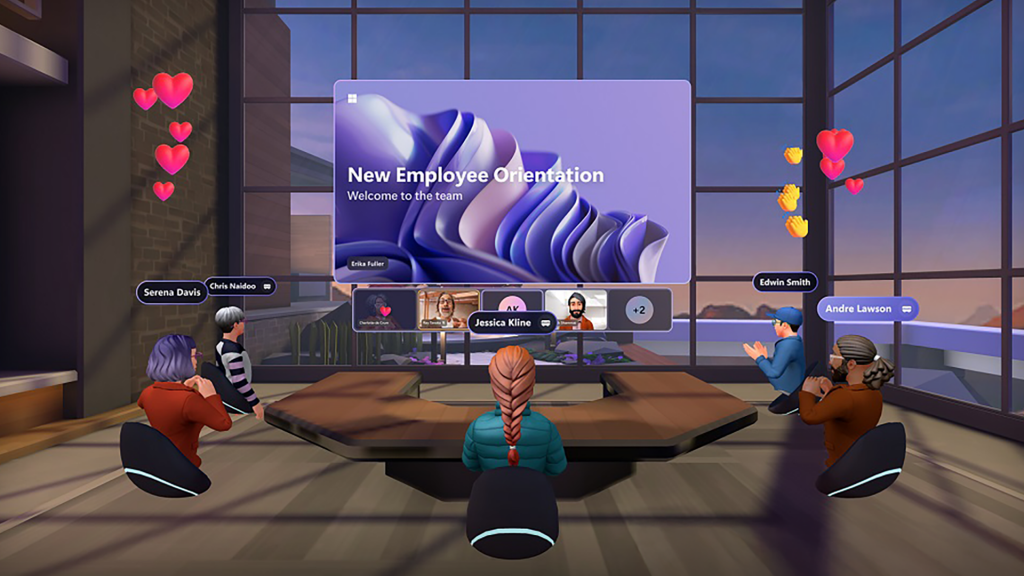
- Support virtual meetings, co-presence, shared screens, multi-window layouts, and tool palettes as one coherent workflow
- Extend spatial components to 2D surfaces and mouse input, creating continuity with Microsoft Teams and desktop workflows
- Improve spatial clarity through coordinated light, material, elevation, motion, and contextual audio
- Enable internal teams and third-party Unity developers to build production-grade applications on the same system
System Evolution
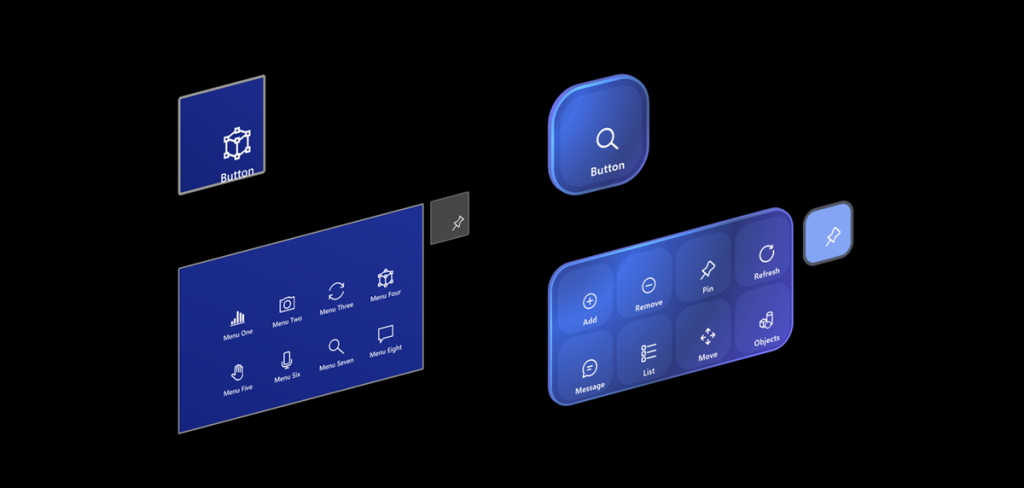
Updated geometry with rounded corners for more approachable and friendly experiences
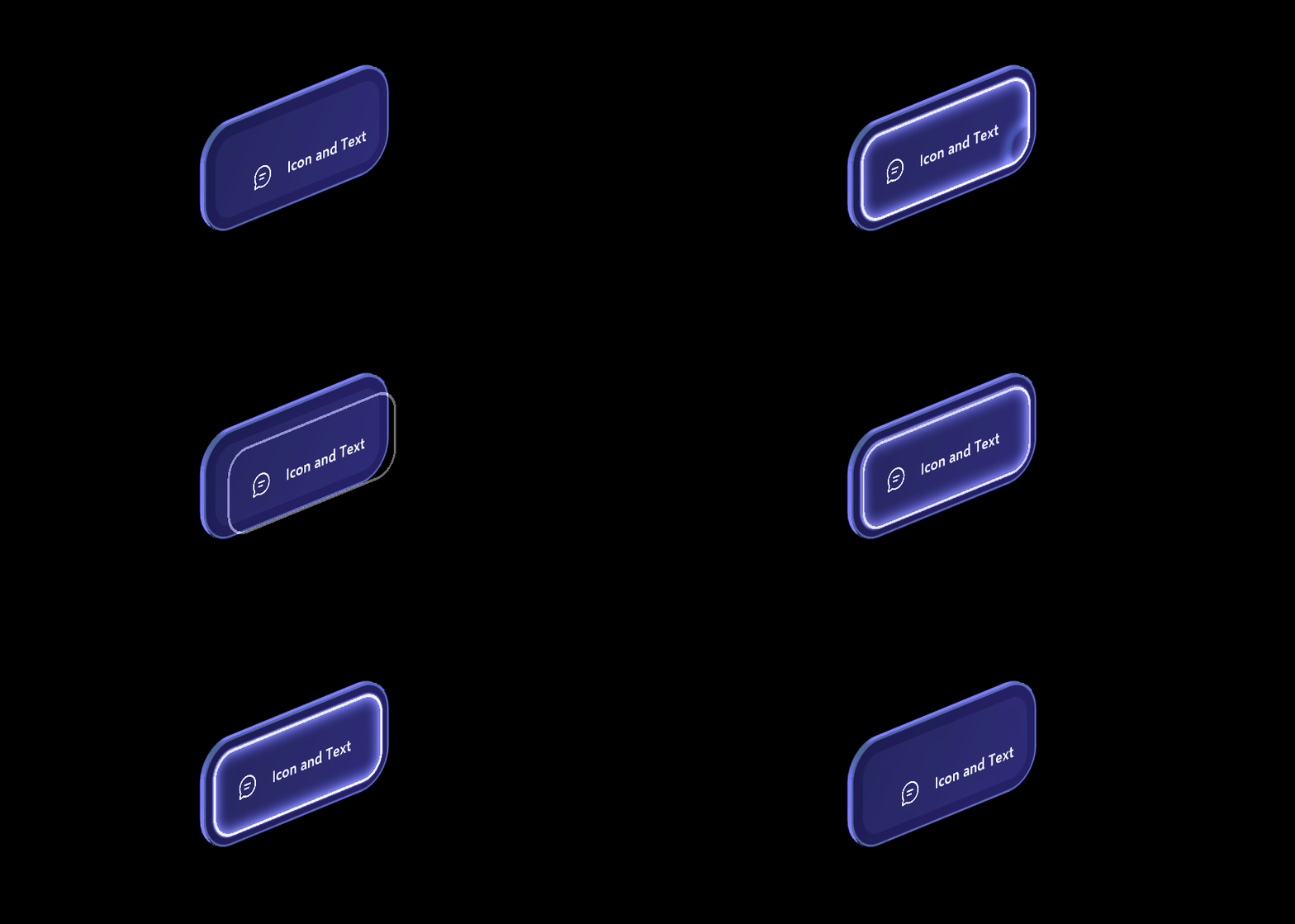
Improved visual feedback for enhanced multi-modal input such as eye-gaze combined with pinch gesture
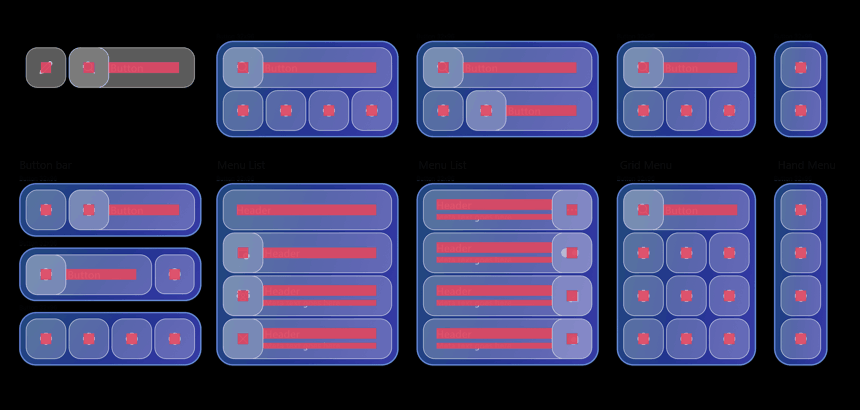
Improved modular units that support various UI scenarios with permutations
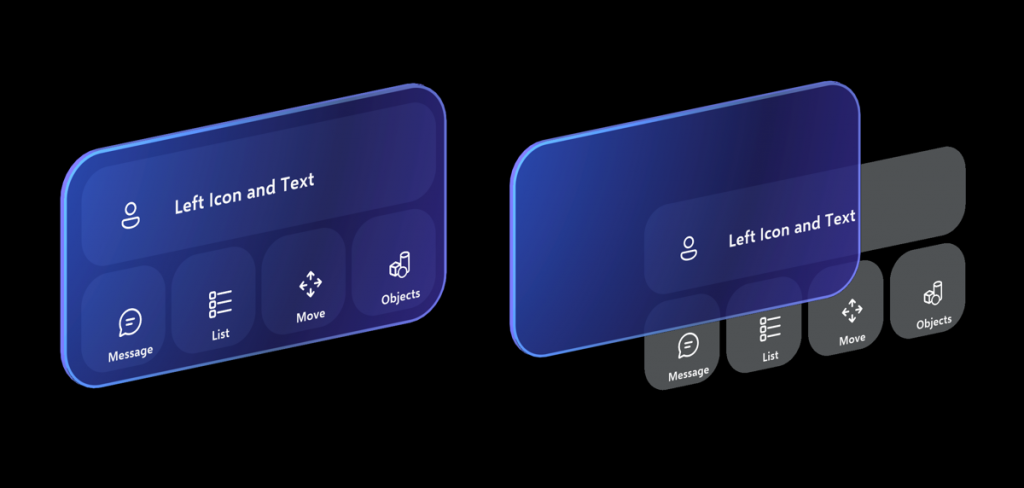
Modular backplate system for building complex layouts that remain clear and usable
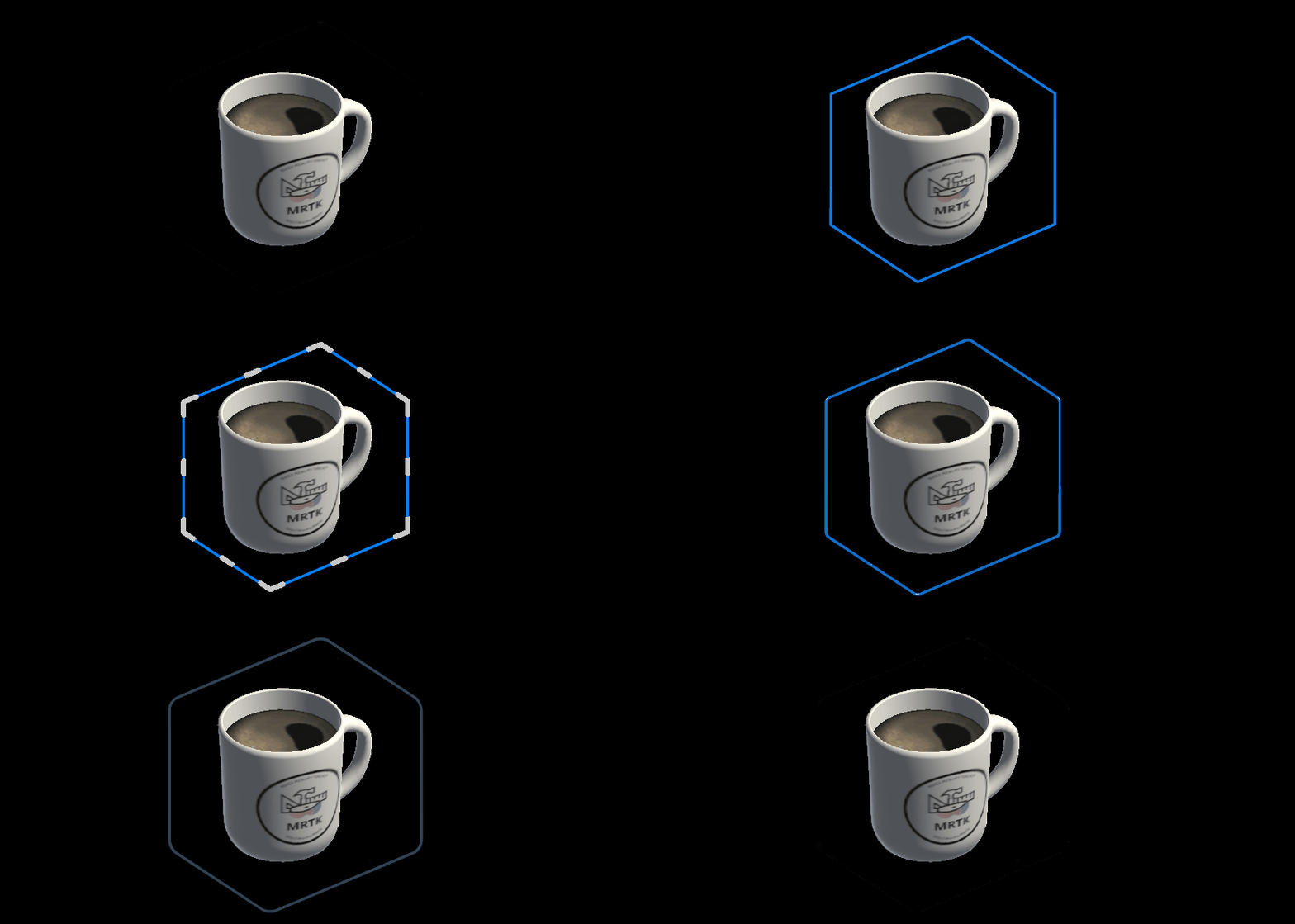
Redesigned bounding box visuals to reduce visual noise and enable fluid gaze-powered interactions
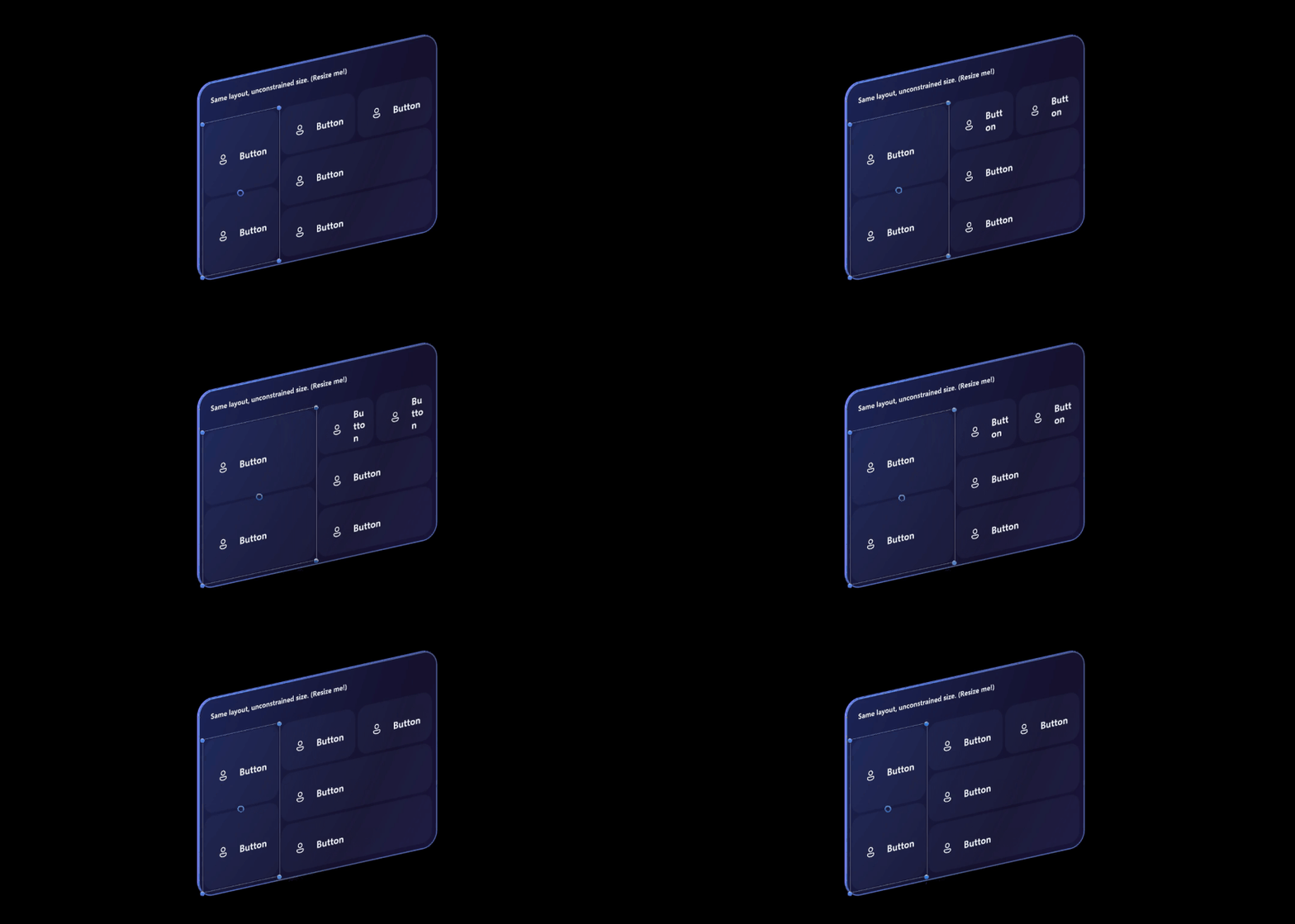
Integration with RectTransform and Unity Canvas that supports dynamic and flexible layout
Design System
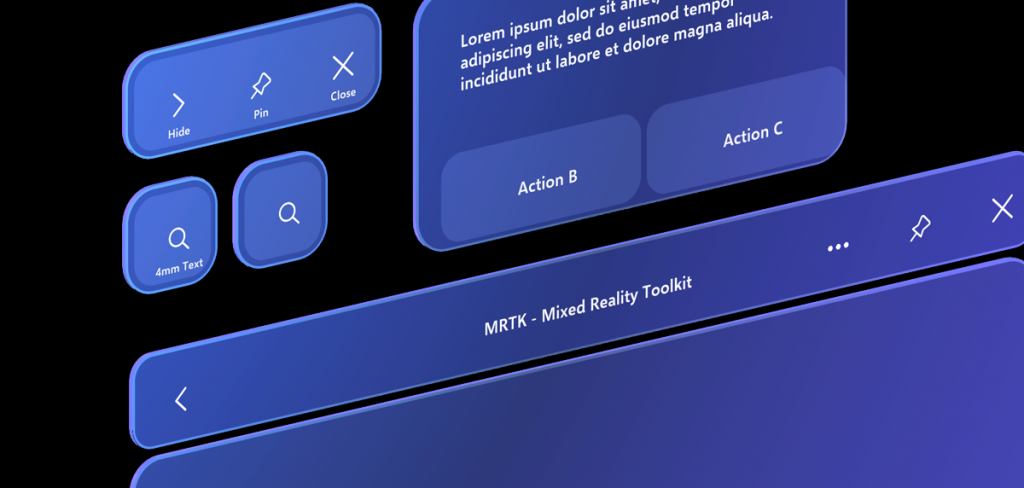
Geometry & Form
Volumetric shapes with tactile thickness help users understand objects in space and perceive depth.
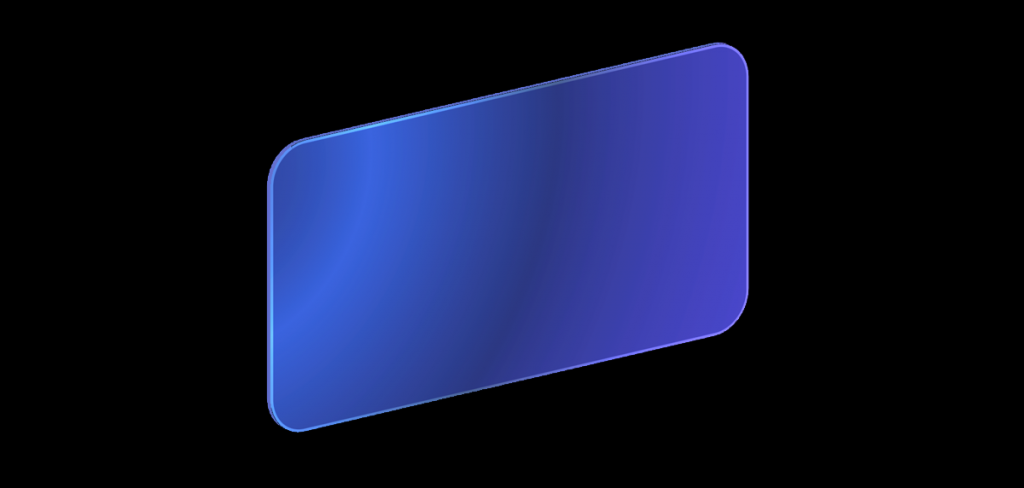
Color & Hierarchy
Colors tuned for additive displays ensure legibility in varying light conditions.
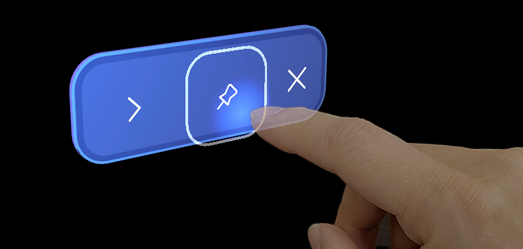
Material, Light & Audio: Materials and audio cues communicate state, selection, hover, and activation, which is critical in hands-free interaction.
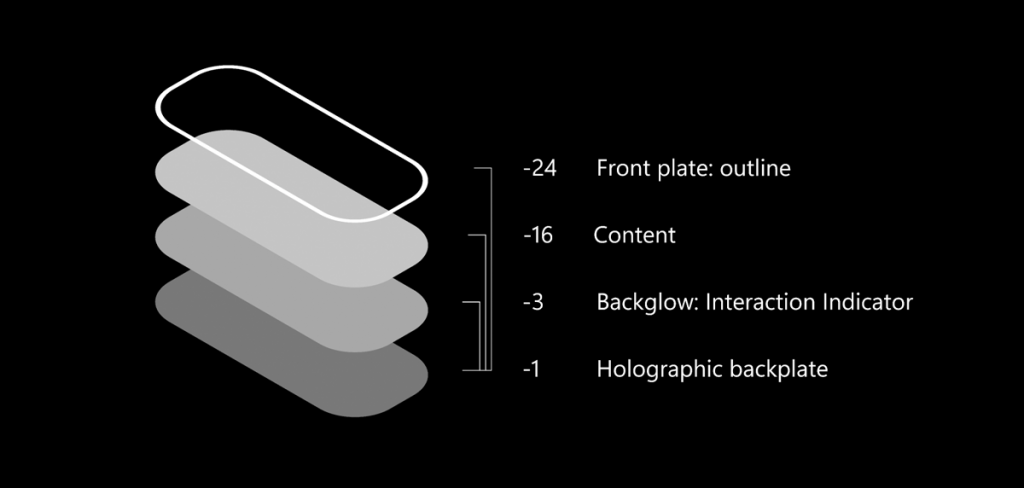
Layering & Elevation
3D stacking creates hierarchy and expressiveness without clutter.
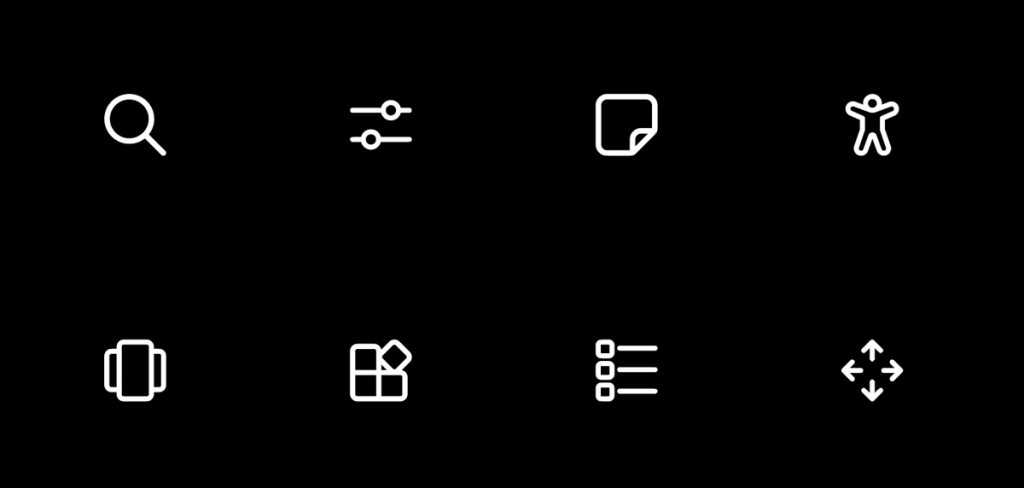
Iconography
Updated Fluent icons and tuned scales improve information density and clarity within spatial UIs.
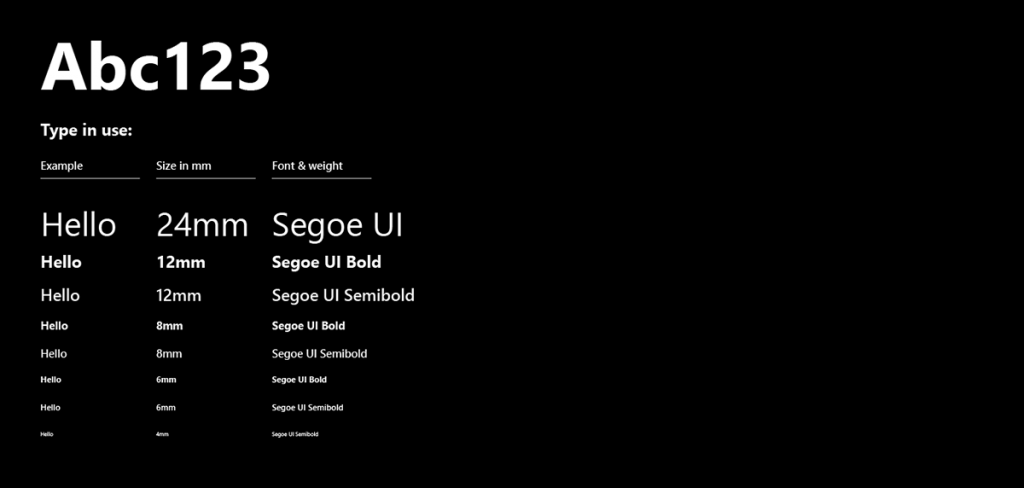
Typography
Refined type ramp for better structure and hierarchy in the content.
Productization & Scale
MRTK3 Platform Foundation
Microsoft Mesh UI was built on MRTK3’s input and interaction foundation, making the design language part of the product architecture rather than a separate visual layer.
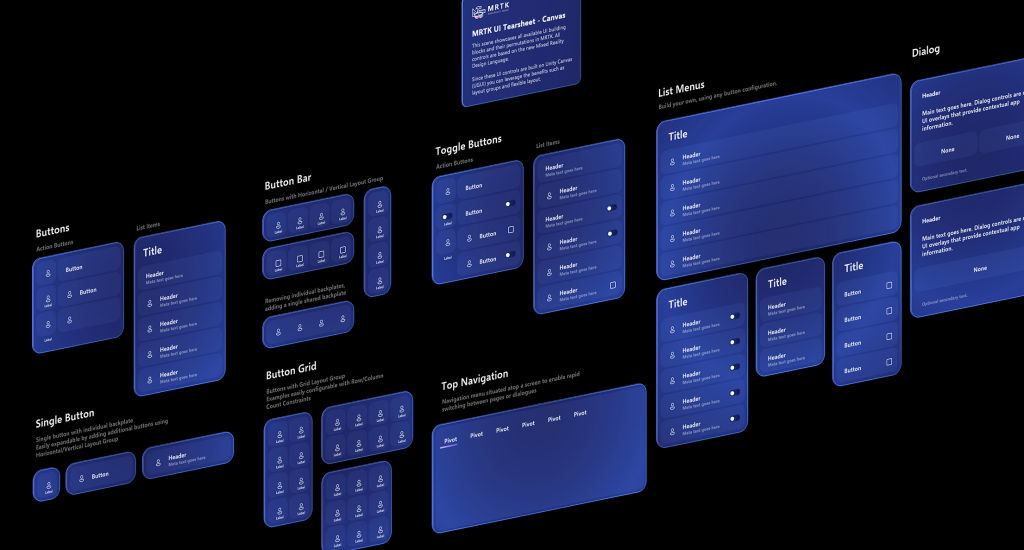
I ensured MRDL operated as an implemented system with reusable controls, materials, audio behaviors, prefabs, and examples:
- MRDL rules → translated into usable MRTK controls
- Visual language → converted into shaders, materials, audio events
- Patterns → delivered through prefabs, UX components, and Unity examples
This enabled the Mesh team and external developers to adopt MRDL by default instead of rebuilding spatial UI from scratch.
Microsoft Mesh Integration
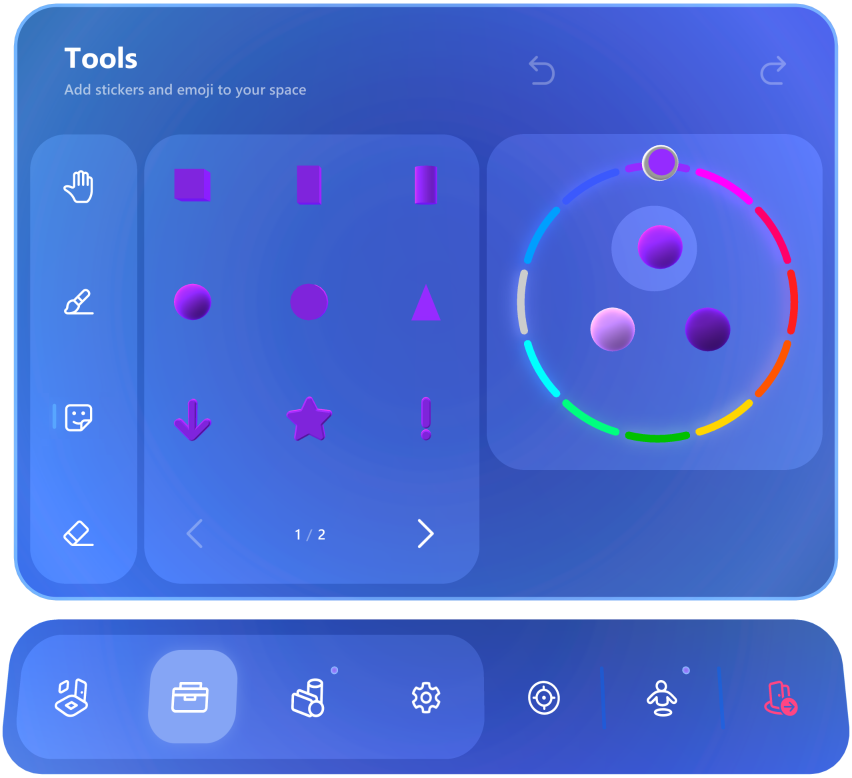
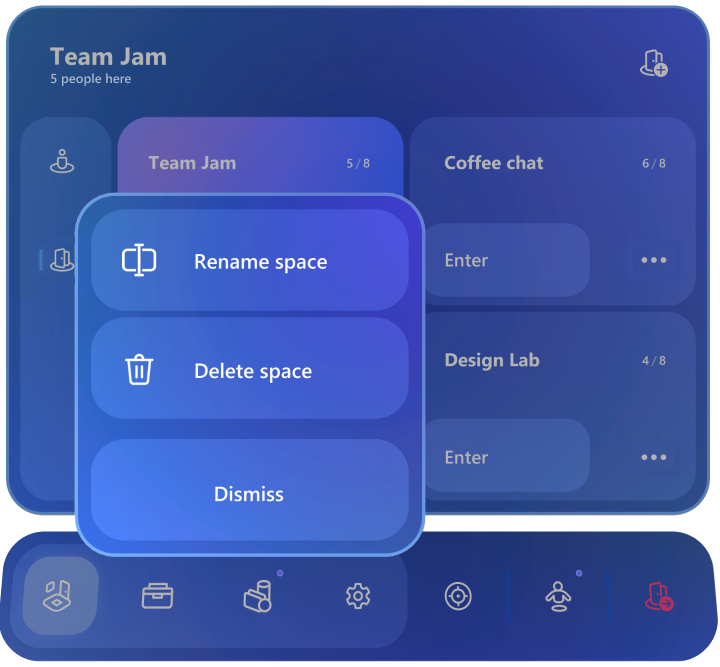
Mesh for HoloLens 2
Experience optimized for HoloLens 2 spatial input, including direct touch, hand ray interaction, and optional eye-gaze input.
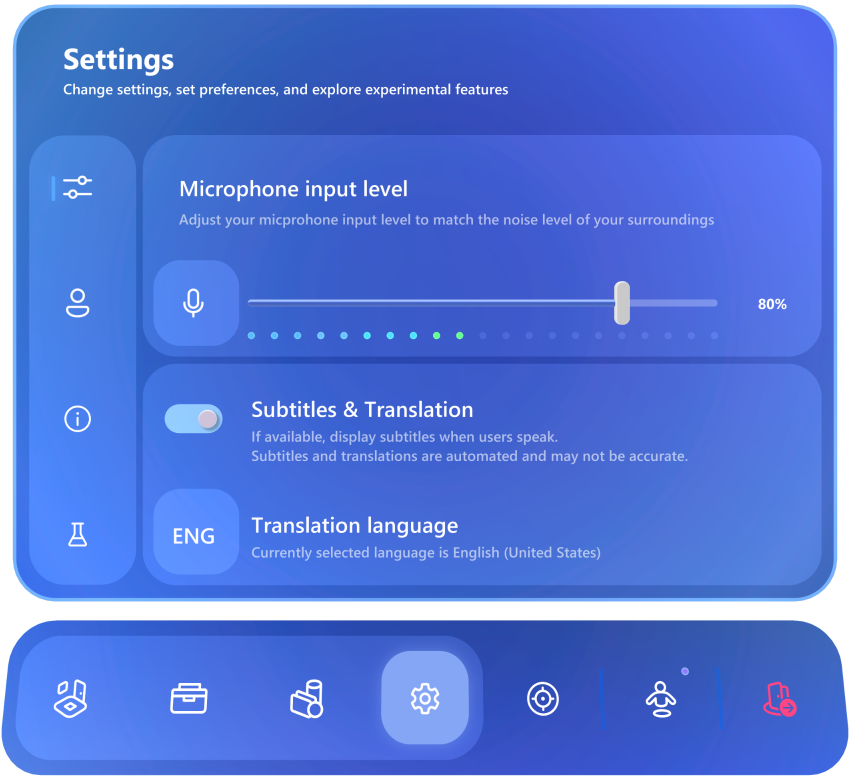

Mesh for Microsoft Teams
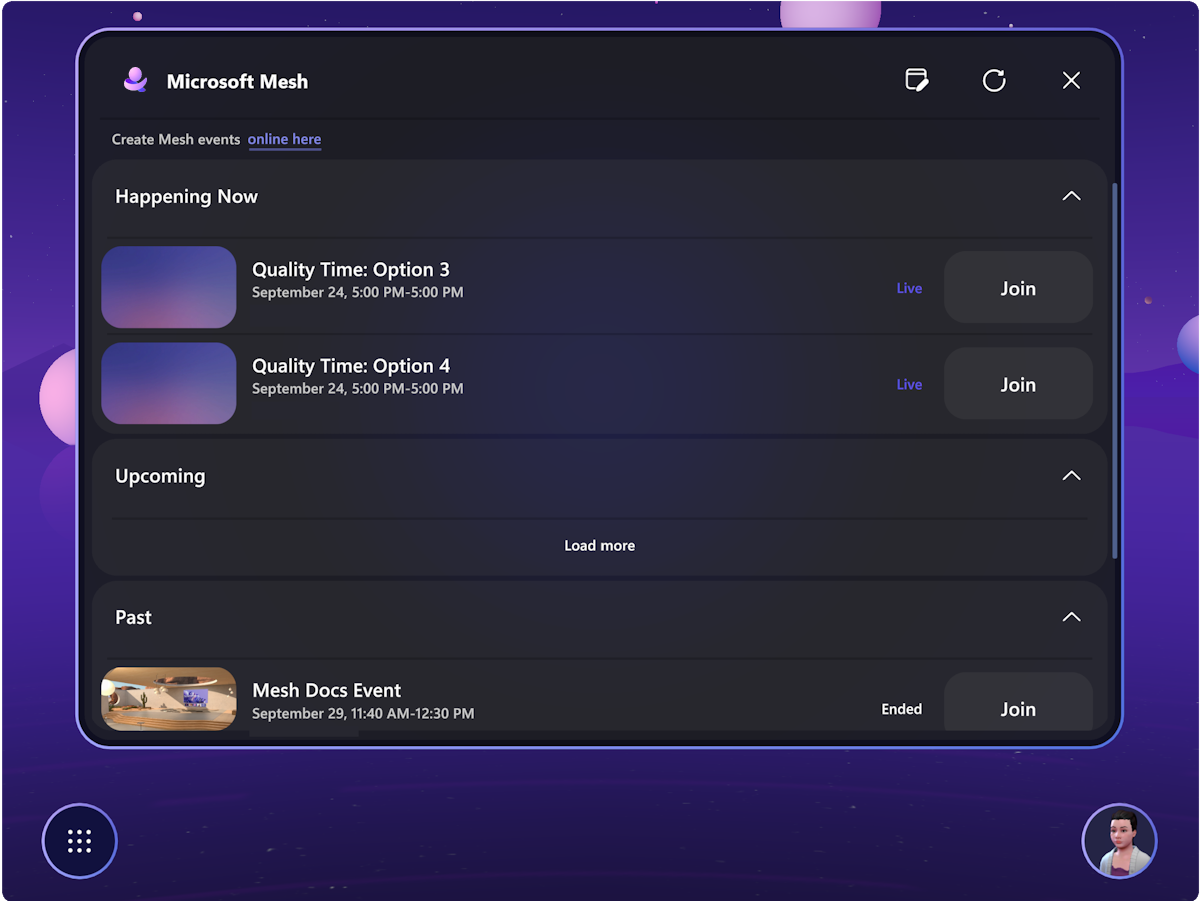
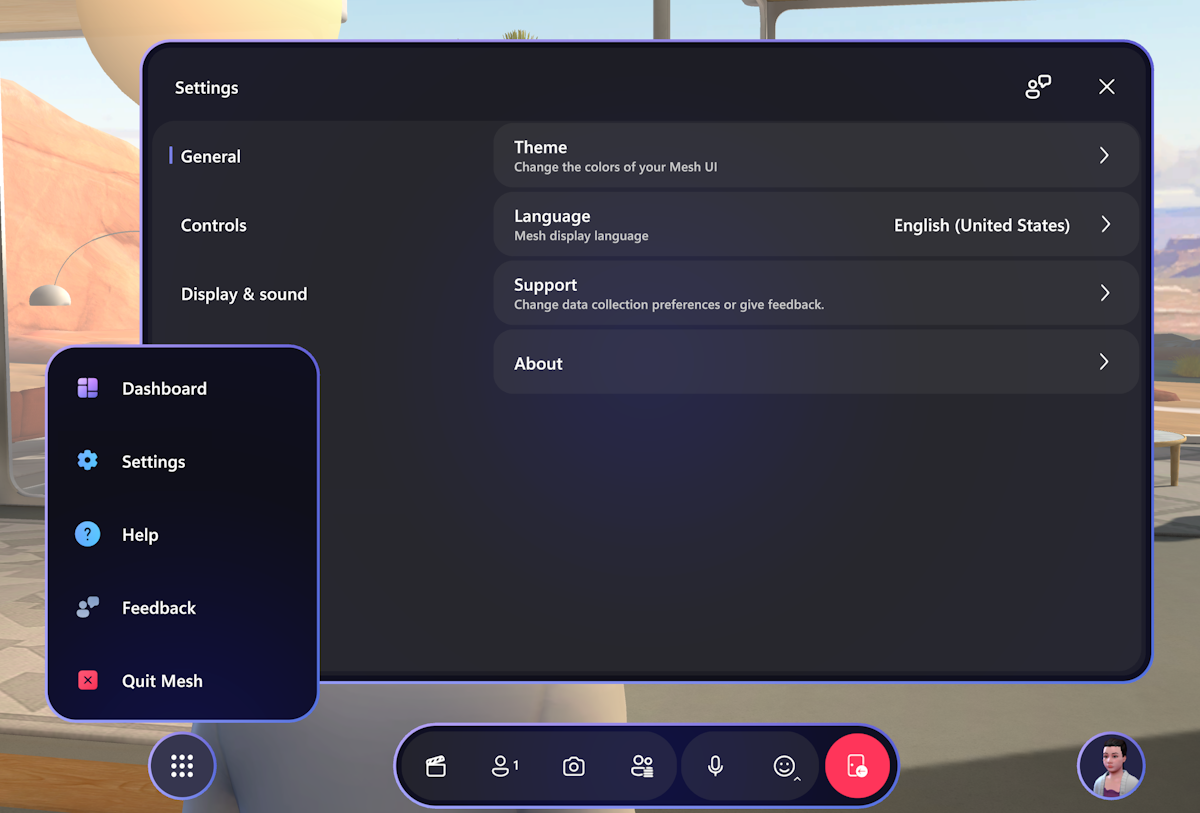
Updated color and branding approach to ensure visual clarity and usability when surfaced on desktop through Microsoft Teams.
Product & Ecosystem Impact
MRDL connected Microsoft Mesh as the product, MRTK3 as the implementation platform, and Unity developers as the broader ecosystem.
Across IC and manager roles, I helped create an operating model that raised spatial UI quality inside Mesh while making the system reusable across Microsoft and the developer ecosystem.
Microsoft Mesh entered preview in early 2023 and officially launched in January 2024, introducing immersive avatar-based collaboration within Microsoft Teams. The platform enables hybrid-work participation from both desktop (via Teams) and Quest devices.

Figma Toolkit for MRTK3
Subset of MRDL components were published as Figma Toolkit for MRTK3 on Figma Community
